Sub-Store 给订阅添加一个流量/过期信息的节点
🆕 跟进 后端
支持手动设置的流量信息使用链接. 此时使用响应内容
详见 https://t.me/zhetengsha/2119
原消息
🆕 跟进 后端
2.14.447 的更新支持手动设置的流量信息使用链接. 此时使用响应内容
详见 https://t.me/zhetengsha/2119
原消息

2.14.447 的更新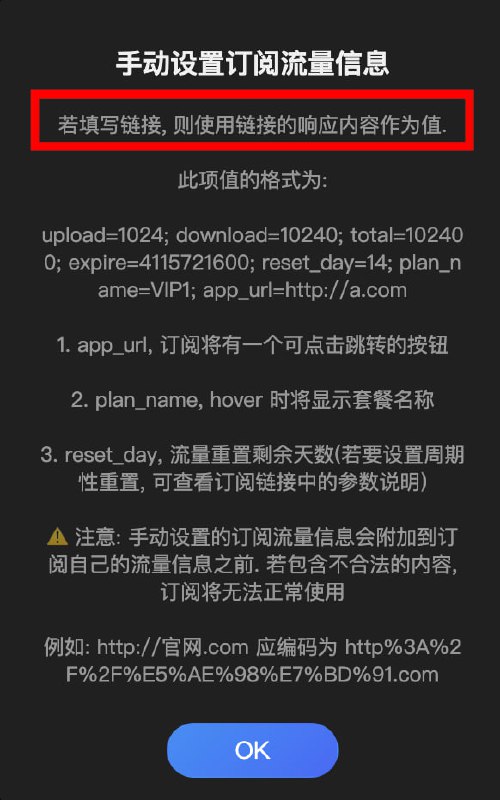
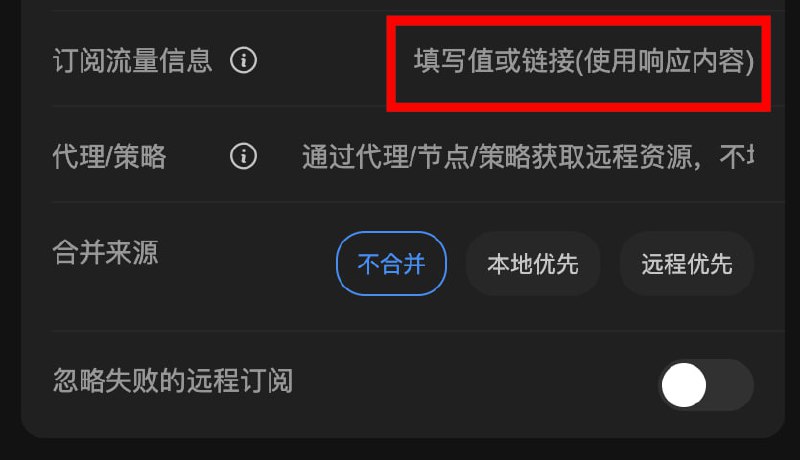
2.14.446 sing-box 支持
 detour 参数(之前只能用 
underlying-proxy 或 
dialer-proxy 参数来设置, 会自动转换成 detour )sourcePrefixLength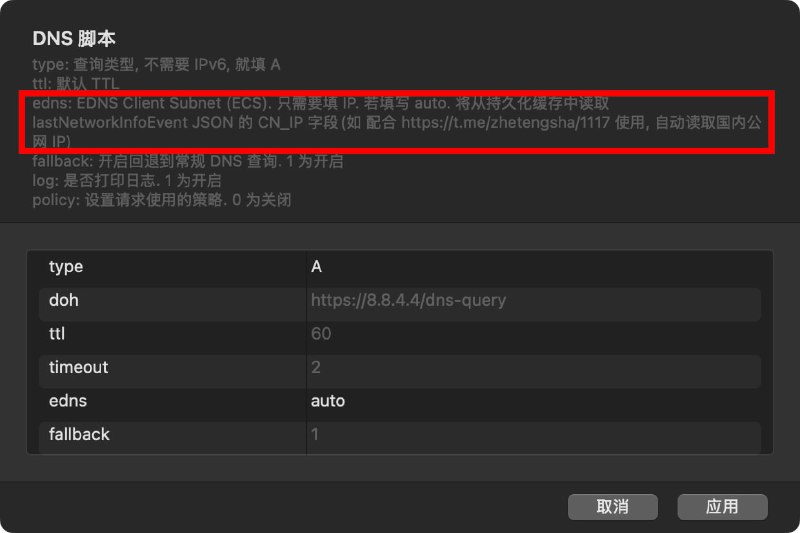
edns 填写 auto 可以配合 网络信息模块 自动取国内公网 IP 别用域名服务器节点策略 不然可能有鸡蛋问题
节点操作 - 域名解析 先处理下
 今天介绍两个临时虚拟邮箱的开源项目。
 如何你因为一些原因需要经常创建临时邮箱,这两个项目可以满足你的需求,如果使用频次不高可以直接使用项目中已经部署好的实例,如果使用频次高且注重数据安全,可以使用项目提供的 GitHub 代码进行部署,由于都是基于 worker 构建,所以部署成本并不高。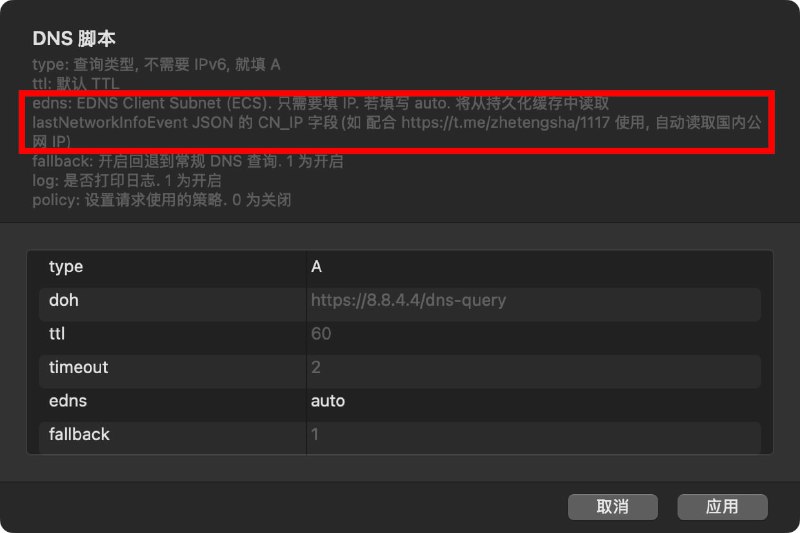
edns 填写 auto 可以配合 网络信息模块 自动取国内公网 IP 别用域名服务器节点策略 不然可能有鸡蛋问题节点操作 - 域名解析 先处理下[General]
use-local-host-item-for-proxy = true 模块脚本合集
  频道资源合集
  恰饭推荐
恰饭推荐  群组
群组 #DNS #Surge #模块 #解析 #EDNS #ECS
dns-server=https://dns.google/dns-query#proxy=name
dns-server=https://dns.google/dns-query#ecs=120.76.0.0/14|2620:149:af0::10/56&ecs-override=true
dns-server=https://dns.google/dns-query#proxy=name&ecs=1.1.0.0/14|2620:149:af0::10/56&ecs-override=true
哪吒看片指日可待叶子圈群组: @yeziyeziquan 叶子圈频道: @yezi_quan
 合作赞助推广联系: @LyeziBot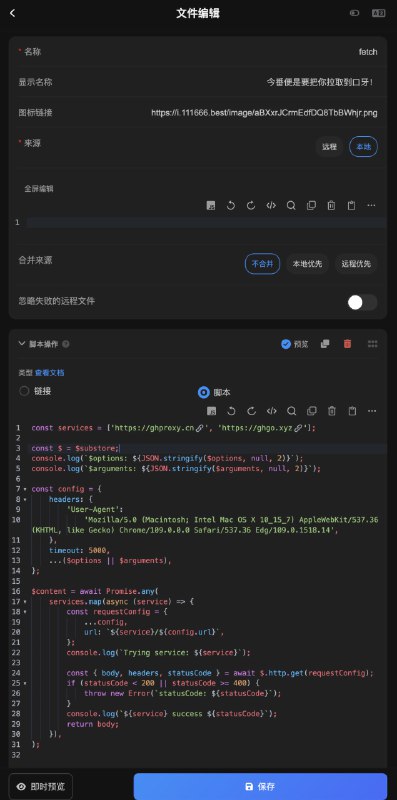
$options 为通过链接传入的参数{ arg1: 'a', arg2: 'b' }encodeURIComponent(JSON.stringify({ arg1: 'a', arg2: 'b' }))
然后这样用 /api/file/foo?$options=%7B%22arg1%22%3A%22a%22%2C%22arg2%22%3A%22b%22%7DencodeURIComponent('arg1=a&arg2=b')/api/file/foo?$options=arg1%3Da%26arg2%3Db{ url: 'https://raw.githubusercontent.com/lige47/QuanX-icon-rule/main/ligeicon.json' }/api/file/fetch?$options=%7B"url"%3A"https%3A%2F%2Fraw.githubusercontent.com%2Flige47%2FQuanX-icon-rule%2Fmain%2Fligeicon.json"%7D$arguments. 但是用的时候, 需要你自己改了.timeout , headers 等参数, 会覆盖默认参数. 也可以直接修改脚本里的默认参数 Sub-Store 合集 频道资源合集 恰饭推荐 群组 #SubStore #Sub-Store #小课堂 #tips #加速 #GitHub #下载 #拉取 #文件 #脚本
[Transparent Proxy]
0.0.0.0:6841 localhost:3306 policy=SQL-Server-Proxy
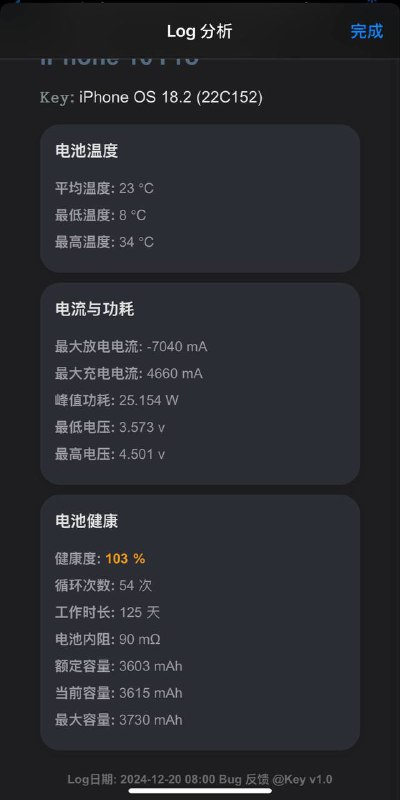
详细华丽且实用的电池健康数据分析快捷指令✌️多多查询,毕竟iPhone需要供起来才对✅
如何用快捷指令分析电池健康数据?
1、 打开设置,进入隐私与安全性,然后选择分析与改进,确保“共享iPhone分析”已开启。
2、 点击“分析数据”,找到最新以“Analytics-”开头的文件,分享至该指令运行即可”。
⚠️ 如果找不到以“Analytics-”开头的文件,可能是因为你是第一次打开“共享iPhone分析”,只需保持一天即可。
⚠️ 如果在设置中的快捷指令中无法“允许不受信任的快捷指令”,可以在App快捷指令中随便设置一个运行一下,返回后即可“信任”。

,gemini _set_model gemini-2.0-flash-exp (默认为 gemini-1.5-flash)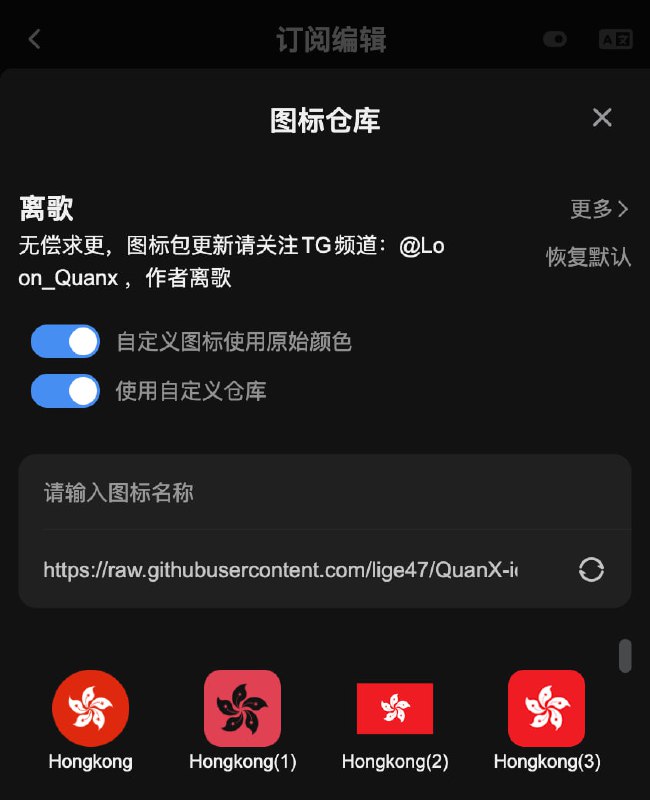
2.14.312
![Stash订阅转换一键导入需启用[覆写]开关建议在代理环境下导入怕就别用用就别怕 不会偷订阅的()#Stash](/static/https://cdn5.telesco.pe/file/ZGlucg07tR03ee3Uq3LYFt-B_3Adf5fEVziRwcwYrQtXTy_uIzxGDT8bKxrjg2DpKwpp6Ou7SdwYLeXuSvVesXzEKT4Wewf5EvcVytFotiqpZOYPTAyN7Ra74q9oRsxbAWGw0As553o63Ihny77iCdkYg6mOA-E3wNod2dcRSbvuBZCZKveSADU-idoU8E0Lxh5rcZlQsumAk1Ng_aLogIBQT5g-_SUnmg0YztA9l5oejoYliNuMH-1QIAI7_SPqg4j_1cAFqQnpJQqbVURWb3riSPGz44hgj5Td_F-5qSuii7KagZF07bv1rHfoWIfbnZJWseTbEG91lVIMUZKXGw.jpg)