免 Key 白嫖 skills: exa-search, google-search, fetch-url, fetch-webpage通用安装和配置方式看
Skills 安装配置方法(含 OpenClaw 配置方法) 自己改提示词 实测发现放
~/.openclaw/workspace/AGENTS.md 里更好 因为
TOOLS.md 已经是怎么用 tools 了 可以强化一下...
- 我新加的 skills 在 /root/.agents/skills 里, 总是使用里面最新的名字
- exa-search: Use this tool when you need up-to-date information from the internet. It grounds the model with real-time Exa Search results across languages, improving factual accuracy and enabling responses with verifiable citations beyond the model's knowledge cutoff.
- google-search: Use this tool when you need up-to-date information from the internet. It grounds the model with real-time Google Search results across languages, improving factual accuracy and enabling responses with verifiable citations beyond the model's knowledge cutoff.
- fetch-url: Use this when you need the raw HTTP response for non-HTML content or APIs. Examples: JSON, XML, RSS/Atom, CSV, plain text, files, or downloads. If the target is a human-readable web page (HTML) that should be converted to markdown, use fetch-webpage instead.
- fetch-webpage: You can use this tool to fetch and convert webpages into markdown format by providing specific URLs.
Exa 白嫖是 5 QPS(环境变量
EXA_API_KEY 可选, 可在
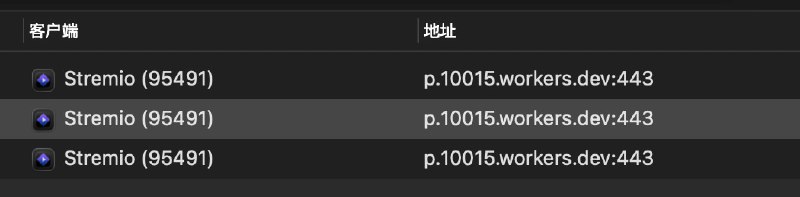
https://dashboard.exa.ai/api-keys 获取), 其他的可配合随机负载均衡实现白嫖(破每分钟请求数限制), 以 mihomo 为例
proxy-groups:
- name: "lbrr"
type: load-balance
strategy: round-robin
rules:
- DOMAIN,pure.md,lbrr
- DOMAIN,r.jina.ai,lbrr
Surge:
[Proxy Group]
Random LB = load-balance, include-other-group=A_GROUP, persistent=0
[Rule]
DOMAIN,pure.md,"Random LB"
DOMAIN,r.jina.ai,"Random LB"
 AI 合集
AI 合集  频道资源合集
  恰饭推荐
恰饭推荐  群组
群组 #AI #脚本 #OpenClaw #Skills #fetch #search #web

![DuckDuckGo GPT 搜索: Scripting 智能助手工具可以让模型调用 获取实时信息 关键是可以白嫖, 不容易受反爬风控影响使用 WebView 加载网页, 使用 JS 获取内容, 调用 duck.ai gpt-5-nano + 网页搜索配合随机负载均衡 可以破一分钟二十次的限制(大概Surge 为例(其他的看对应的文档, 基本都有这个功能)[Proxy Group]](/static/https://cdn5.telesco.pe/file/lyNNolg1mwLGnQlG--oHG2pCneuCzYhfIckfkBKcOAy7wwiO5C_YHTuGEWADRCDLka9Ka_PWd0fEk_gBPgnGjjfe8ef1jda5rITSpkYzu0XJFbiuBX1Qf8K28MufIzSiy7BPMIUo4i3_S1v08j5F0LM7Q_er3GtcZWfG-Ms2ub_FslLLlhGQdS7PVDCYZvDeR6R0M-sfbD0YQ2o2a_TwvnvutQ-vBoxcDihkGnAEX3_JZ-nF5W3AIcLpwbrtDHRnYLn40dgzHf8X8XxcfniWB03N0ZmY2ahOirKxA38DfFwCRVdLerNTQuHwgZCAFduf3DQCP-3nLXKi7Clx532kcw.jpg)
 一键导入
一键导入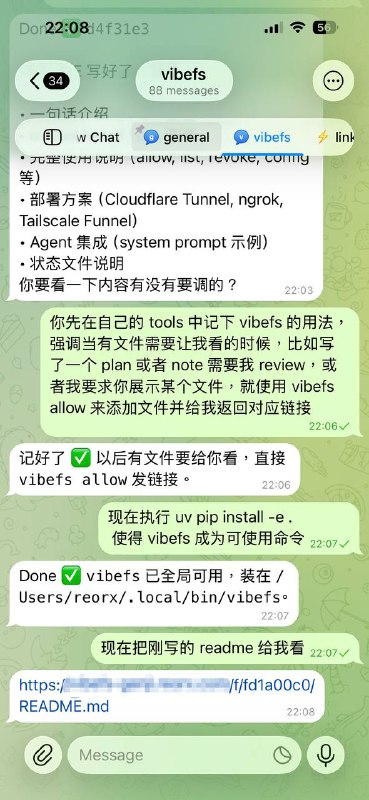

![pure.md Google 搜索: Scripting 智能助手工具可以让模型调用 获取实时信息 关键是可以白嫖 不像其他方案一样受反爬风控影响- 不用 key, 配合随机负载均衡 可以破一分钟六次的限制Surge 为例(其他的看对应的文档, 基本都有这个功能)[Proxy Group]](/static/https://cdn5.telesco.pe/file/R72OPeb8PxfwzcYpUPCExuof8wGs0mSvb3LCsdEKxopw6ZedatFxBoy1vyavbJF4_CaEsg6sShj7oU1wCp-Z8JM6XqyFX1_3yd_DwDh361KXts8WWTmE15I7xhD2xwkrrOhAJUQkwwTa8OjjiwyJ_Nri5JN825Kvi5CehhfHz5MVU5pQehQk9sgb3wR9pN_PM7kYIAcU2b_DV-HK17vVdm_Kui4eLYuWcL3036uTr8fFWEQUxyAdQousVVitHS-EuyNrI0UV7b7EOK2n6vaVJpyFOuhpKPiTzHrhzHoO5Pl5RaJCh1esKceQsxElz1WgGP-BcANnLGfDPYireh-uPQ.jpg)
![pure.md Google 搜索: Scripting 智能助手工具可以让模型调用 获取实时信息 关键是可以白嫖 不像其他方案一样受反爬风控影响- 不用 key, 配合随机负载均衡 可以破一分钟六次的限制Surge 为例(其他的看对应的文档, 基本都有这个功能)[Proxy Group]](/static/https://cdn5.telesco.pe/file/sLnri4Ev0tKDvRZAh9KsvQ985RRuPRbM9KCVJanxZoYtWHwXLd5LmqtMlLXDzq7O1zzfawEU_M2uUT9IWW93mN7h67OBFZjs2BQMmq5mgbYbEmtyTCqsGTEQxlGz2z-TSWVSJHOtMdv8_Ro5C4RNxXD8IZT4Gbp3taITIrRraQSytOA2nku7odPr4NjlvfDNDqawtnI3ffH_AoJz_sqq4EGOJsjuS-7ston0-HacOqUZPm1QlpekSmlp7O5i8f85xkM7Sf8t7cVzCul0TGOVlk3Fgp4MSNZRHV22F-fQO4Aw7dWMHwpcjn8c8eUBPlSuvl1B4umfllNVOzq8PaH0oQ.jpg)