折腾啥

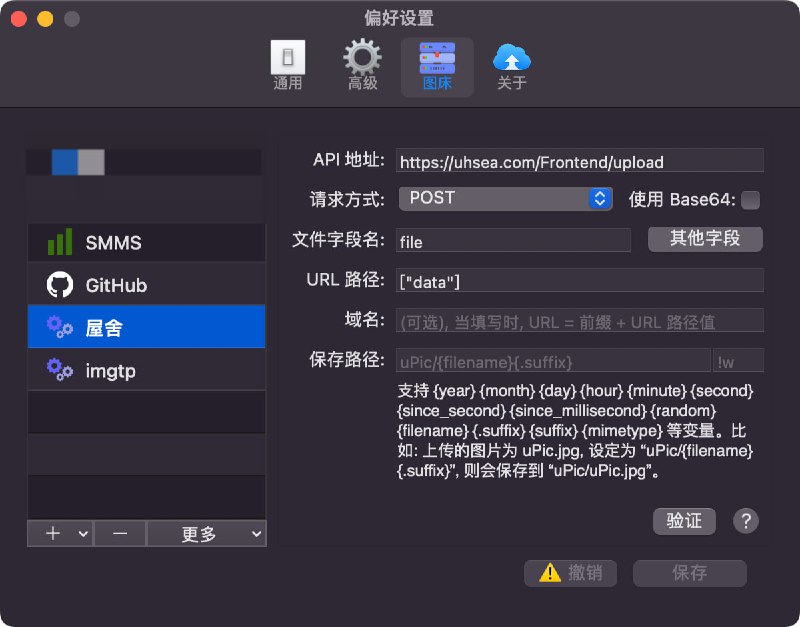
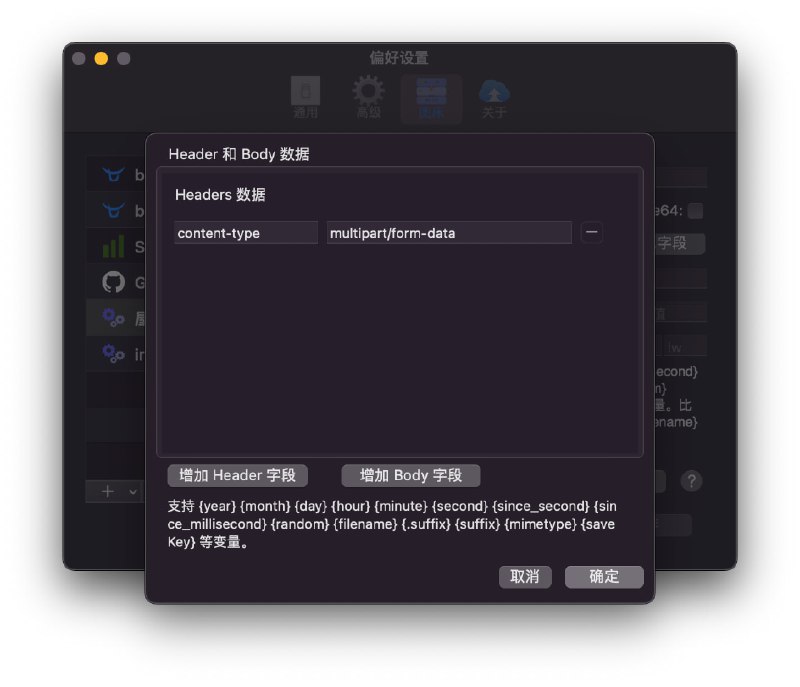
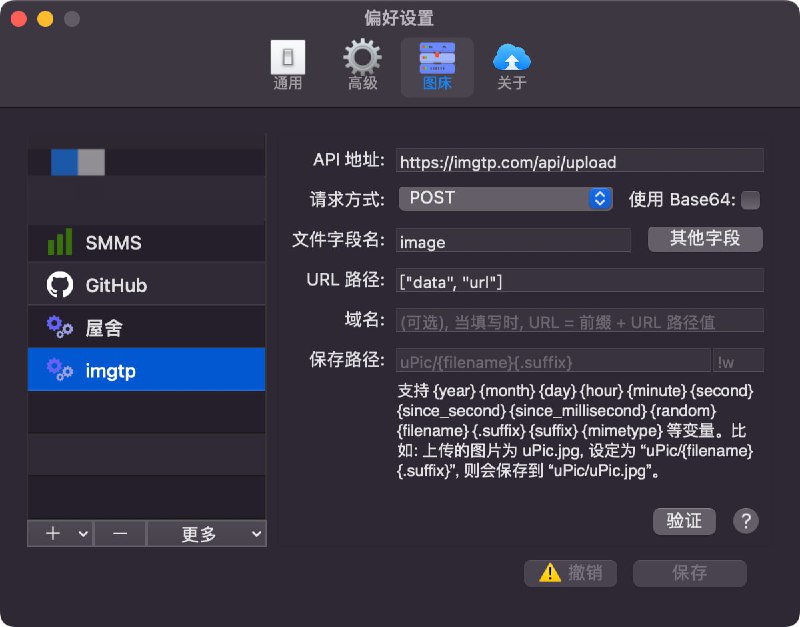
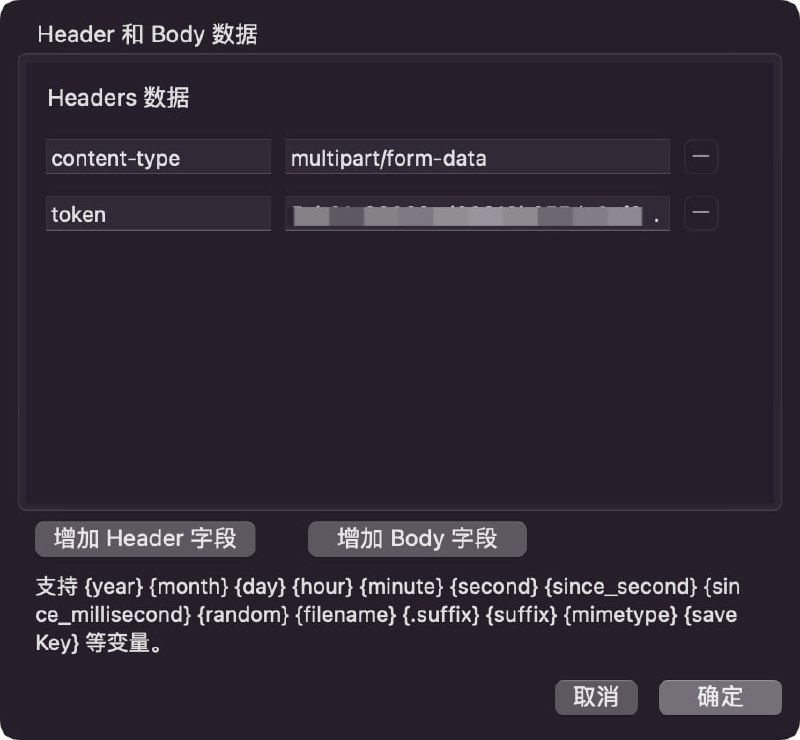
  1. uPic 自定义图床配置的示例图 1, 2: 屋舍图 3, 4: imgtp水墨图床:与 imgtp 类似API 为

    uPic 自定义图床配置的示例

    图 1, 2: 屋舍
    图 3, 4: imgtp

    水墨图床:
    与 imgtp 类似
    API 为 https://img.ink/api/upload
    token 在 此页面 获取

    频道资源合集 恰饭推荐 群组

    #mac #upic #图床 #文件 #分享 #上传 #imgtp #屋舍 #水墨图床

    • 👍4
    • ❤️2
  2. #Surge #代理 #TUN #LG #电视 #投屏 #LocalSendLG 电视的 ThinQ, 某些 App 投屏, LocalSend(从 localsend/protocol 里扒拉的) 需要配置:以 Surge 为例配置文件里直接写:[General]

    #Surge #代理 #TUN #LG #电视 #投屏 #LocalSend

    LG 电视的 ThinQ, 某些 App 投屏, LocalSend(从 localsend/protocol 里扒拉的) 需要配置:

    以 Surge 为例

    配置文件里直接写:
    [General]
    tun-excluded-routes = 239.255.255.250/32, 224.0.0.167/32


    模块这样写:
    #!name=VIF Excluded Routes
    #!desc=LG ThinQ, 投屏, LocalSend
    #!category=
    
    [General]
    tun-excluded-routes = %INSERT% 239.255.255.250/32, 224.0.0.167/32


    ⚠️ 刘老师说不要瞎折腾 转发存档

    Alice 佬推荐: Sukka 佬的 保留 IP 段不走 Surge VIF 模块

    可能有冲突 可使用我的
    修改版 (增加 %APPEND%, 去除 198.18.0.0/15)

    📌 资源合集导航

    👏 欢迎评论 & 转发(请保留来源)

    加入 折腾啥 📢 频道 | 👥 群组

    ※ 机场推荐 大流量电话卡 支付宝红包

    可点击查看 👉 恰饭推荐

    🙏 本频道 99.99% 的内容均为原创 感谢老板们的支持

    • ❤️6
  3. 跟天佬学的小技巧:部分情况下查询 v4 接口可能会返回 v6, 可自行指定 ip-version=v4-only (以 Surge 为例, 文档)P 佬评价: 文档确实不详细(

    折腾啥
    网络信息 Powered by Chavy‘s 🧰BoxJs and Env.js Available in 📈 Surge, 🏂 Stash, 🎈Loon, 🚀Shadowrocket, 🌀 Quantumult X Created by @xream 🟢支持长按节点进行查询 🟢支持面板 🟢支持网络变化时进行查询通知(IP 相同时不通知) 🟢提供 https://net-lsp-x.com 数据接口, 参数与模块参数相同 🟢分 "国内外" 或者叫 "直连/代理" 显示 IP 地区 运营商 ASN…
    跟天佬学的小技巧:

    部分情况下查询 v4 接口可能会返回 v6, 可自行指定 ip-version=v4-only (以 Surge 为例, 文档)

    P 佬评价:
    文档确实不详细(

    • ❤️1
  4. #mac #LG #电视配合 hammerspoon 可实现:调节 mac 音量时, 自动调节电视的音量睡眠/唤醒 mac 时, 自动关闭电视屏幕显示/唤醒电视▎项目地址

    #mac #LG #电视

    配合 hammerspoon 可实现:

    调节 mac 音量时, 自动调节电视的音量

    睡眠/唤醒 mac 时, 自动关闭电视屏幕显示/唤醒电视

    ▎项目地址

    https://github.com/cmer/lg-tv-control-macos

    相关

    亮度调节: MonitorControl 或 BetterDisplay(收费)

    音量调节(简单但是不优雅版): eqMac(免费版够用, 自动切换音源, 但是可能有点问题), Proxy Audio Driver(免费开源, 资源占用少)

    • ❤️4
  5. 群友反馈: 可尝试设置为 clash-verge/v1.5.1 等客户端的 User-Agent 让机场后端下发更多协议请积极向机场主/机场后端项目反馈给 Surge Loon clash.meta 下发 Hysteria 2 协议

    折腾啥
    🔗 Sub-Store 🆕 2.14.102 🟢 支持自定义全局默认 User-Agent(后端版本应 > 2.14.101) 🙂 全局默认 User-Agent 从 Quantumult%20X/1.0.29 (iPhone14,5; iOS 15.4.1) 改成了 clash.meta 部分 User-Agent 举例: 📈 Surge iOS/3004 🚀 Shadowrocket/1978 CFNetwork/1331.0.7 Darwin/21.4.0 🐱 clash.meta 🤔
    群友反馈:

    可尝试设置为 clash-verge/v1.5.1 等客户端的 User-Agent 让机场后端下发更多协议

    请积极向机场主/机场后端项目反馈

    Surge Loon clash.meta 下发 Hysteria 2 协议

    • ❤️3
  6. For a long time, the module functionality of Magisk / KernelSU was limited to executing boot scripts and modifying system files. Now, we are exploring the possibility of endowing modules with the capability to display UI interfaces!Previously, after installing some modules, users needed to configure them either through the command line or by directly modifying configuration files in specific locations. Clearly, this process was quite inconvenient for users. At times, in order to configure settings, it was even necessary to write a separate app. With the ability for modules to display interfaces, these issues could become a thing of the past.Moreover, the display interface can be used for more than just configurations. You have the freedom to present anything you'd like to showcase and interact with the user.The current interface is implemented through WebUI. You can create HTML pages using any web technology and place them in the module's webroot directory. After the module is installed, users can access this page through the KernelSU manager's list of modules. KernelSU also provides a JavaScript library to facilitate interaction with the system.However, these trials are still in their infancy, and the jsapi is not yet stable. We welcome your feedback!

    Forwarded from KernelSU
    For a long time, the module functionality of Magisk / KernelSU was limited to executing boot scripts and modifying system files. Now, we are exploring the possibility of endowing modules with the capability to display UI interfaces!

    Previously, after installing some modules, users needed to configure them either through the command line or by directly modifying configuration files in specific locations. Clearly, this process was quite inconvenient for users. At times, in order to configure settings, it was even necessary to write a separate app. With the ability for modules to display interfaces, these issues could become a thing of the past.

    Moreover, the display interface can be used for more than just configurations. You have the freedom to present anything you'd like to showcase and interact with the user.

    The current interface is implemented through WebUI. You can create HTML pages using any web technology and place them in the module's webroot directory. After the module is installed, users can access this page through the KernelSU manager's list of modules. KernelSU also provides a JavaScript library to facilitate interaction with the system.

    However, these trials are still in their infancy, and the jsapi is not yet stable. We welcome your feedback!

    • 👍2
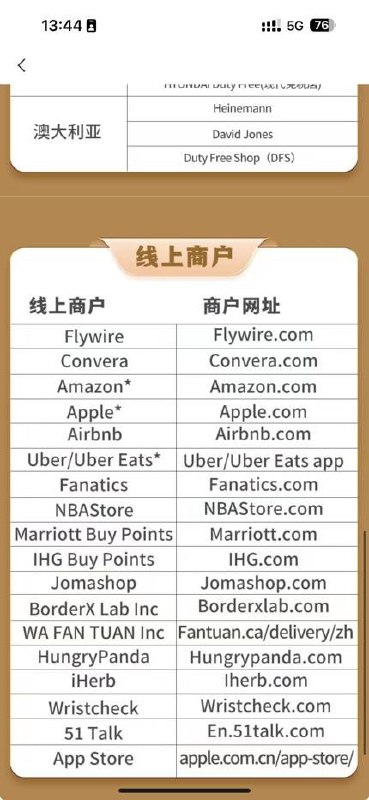
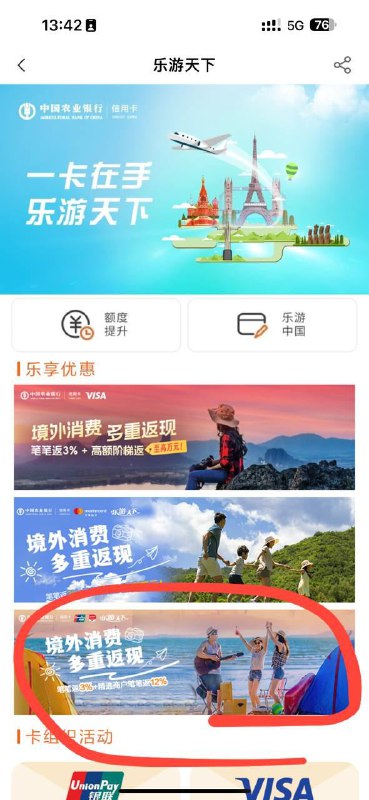
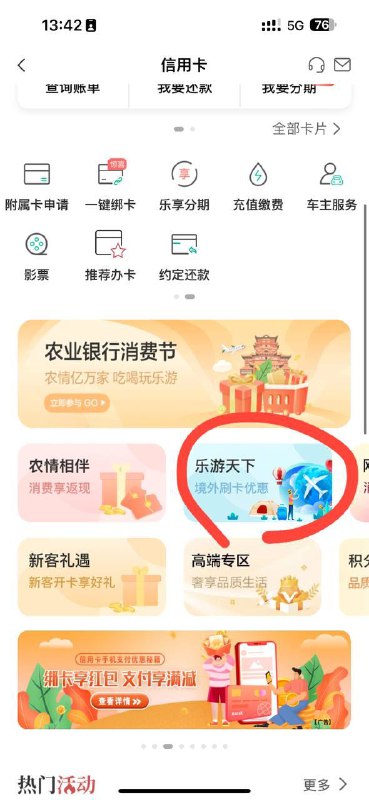
  7. ▎ 8.8折购买美区终身Infuse逼逼之前曾写过一篇农行购买美区充值卡的优惠活动👇👇👇

    Forwarded from 小声逼逼
    ▎ 8.8折购买美区终身Infuse

    逼逼之前曾写过一篇农行购买美区充值卡的优惠活动

    👇👇👇

    https://t.me/imbbbbbbbbbbb/63552

    目前可以用62开头的农行银联信用卡报名此活动,本期到3月底前,笔笔12%,季度有上限150~

    如购买100美元Apple美区充值卡,返12美元优惠,故不光可以8.8折购买Infuse,举例也可以购买Syncnext(三角播放器),叠加目前新春特惠:9折,为近期最低价格~以此类推可以8.8折购买XPTV/APTV/Fileball等等软件

    ➡️另外据群友消息,微信支付今日再次国区开启苹果充值优惠,活动时间为 2 月 23 日-3 月 3 日。 新用户享 9 折 ,新用户指 2024 年 2 月 23 日 10 点前从未在活动页面进行 App Store 充值用户。

    活动路径:微信-我-服务-Q 币充值。

    🗒 标签: #优惠活动
    📢 频道: @me888888888888
    🎈 群组:https://t.me/imbbbbbbbbbbb
    🪬 合作&推广:@imbbbbb_bot @imbbbbbbbb

    ☝️消息怕错过?请及时收藏频道并开启推送!☝️

    • ❤️2
    • 😁2
    • 👍1
  8. Sub-Store 后端 2.14.228 前端 2.14.145▎后端支持 Surge 最新 TestFlight 版(请更新到最新版并重启)修复 Surge TUIC server-cert-fingerprint-sha256 参数修复 sing-box wireguard reserved 参数▎前端修复旗帜 相关内容链接参数说明 脚本使用说明 Sub-Store 代理 App 版安装下载 Sub-Store 服务器/云平台/Docker/Android 版的相关教程

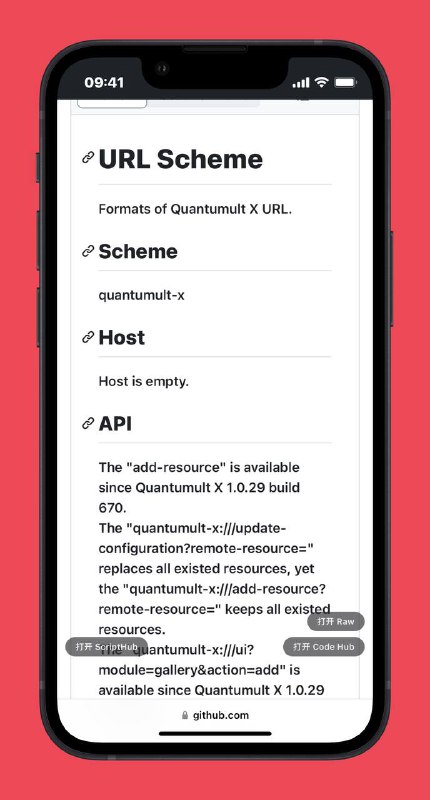
    Sub-Store

    后端 2.14.228 前端 2.14.145

    ▎后端

    支持 Surge 最新 TestFlight 版(请更新到最新版并重启)

    修复 Surge TUIC server-cert-fingerprint-sha256 参数

    修复 sing-box wireguard reserved 参数

    ▎前端

    修复旗帜

    相关内容

    链接参数说明
    脚本使用说明

    Sub-Store 代理 App 版安装下载

    Sub-Store 服务器/云平台/Docker/Android 版的相关教程

    • 👍3
    • ❤️1
  9. Surge iOS TestFlight & Mac Beta 更新日志- 修正 QUIC 流控的一个细节问题,优化了 Ponte/TUIC/Hysteria2 协议的延迟表现- 更换了脚本执行引擎 - 脚本的内存开销得到大幅减少,CPU密集型脚本运行效率得到显著提高 - 脚本执行环境中新增部分 Web API - 由于更换引擎导致 Surge 提供的所有 API 都进行了重写,部分 API 可能存在行为不一致或者有 Bug,如果遇到问题请反馈

    Forwarded from Surge TestFlight Feed
    Surge iOS TestFlight & Mac Beta 更新日志
    - 修正 QUIC 流控的一个细节问题,优化了 Ponte/TUIC/Hysteria2 协议的延迟表现
    - 更换了脚本执行引擎
    - 脚本的内存开销得到大幅减少,CPU密集型脚本运行效率得到显著提高
    - 脚本执行环境中新增部分 Web API
    - 由于更换引擎导致 Surge 提供的所有 API 都进行了重写,部分 API 可能存在行为不一致或者有 Bug,如果遇到问题请反馈。

    • ❤️4
  10. ▎𝗚𝗶𝘁𝗛𝘂𝗯 𝗥𝗮𝘄 𝗟𝗶𝗻𝗸 𝗢𝗽𝗲𝗻𝗲𝗿 ▎𝗦𝗰𝗿𝗶𝗽𝘁-𝗛𝘂𝗯 𝗲𝗱𝗶𝘁增强 GitHub 的原始链接按钮

    Forwarded from Lᴜᴄʏ 🫪
    ▎𝗚𝗶𝘁𝗛𝘂𝗯 𝗥𝗮𝘄 𝗟𝗶𝗻𝗸 𝗢𝗽𝗲𝗻𝗲𝗿
    ▎𝗦𝗰𝗿𝗶𝗽𝘁-𝗛𝘂𝗯 𝗲𝗱𝗶𝘁

    增强 GitHub 的原始链接按钮。
    一键编辑 Script-Hub 生成的链接


    开发者:baby,小一,Key

    https://raw.githubusercontent.com/Keywos/rule/main/JS/UserScript_raw_preview_or_file_edit.js


    需导入浏览器拓展,例如:
    - Stay
    - Userscripts

    #UserScript

    • 👍2
    • 👏1
  11. 好像很多人都不知道 termux 是能通过 Termux:API 免 root 使用 fastboot 的,这里分享一下fastboot 在安装好 android-tools、termux-api 和 Termux:API(应用) 后,使用 termux-usb -l | jq .[0] | xargs -I {} [ "null" != "{}" ] && termux-usb -r -e $SHELL -E $(termux-usb -l | jq -r .[0]) 申请 usb 访问权限(点允许),然后就会打开一个新的 shell,此时就可以使用 fastboot 命令了adb 不行,同一个人同时 pr,只合了一个甲壳虫 ADB 助手 adb、fastboot 都可以免 root,但是 fastboot 需要捐赠adb 还有一个网页解决方案,需要使用 Chrome 打开
    Forwarded from XiReiki (曦灵)
    好像很多人都不知道 termux 是能通过 Termux:API 免 root 使用 fastboot 的,这里分享一下

    fastboot 在安装好 android-tools、termux-api 和 Termux:API(应用) 后,使用 termux-usb -l | jq .[0] | xargs -I {} [ "null" != "{}" ] && termux-usb -r -e $SHELL -E $(termux-usb -l | jq -r .[0]) 申请 usb 访问权限(点允许),然后就会打开一个新的 shell,此时就可以使用 fastboot 命令了
    adb 不行,同一个人同时 pr,只合了一个

    甲壳虫 ADB 助手 adb、fastboot 都可以免 root,但是 fastboot 需要捐赠

    adb 还有一个网页解决方案,需要使用 Chrome 打开 https://adb.http.gs/

  12. ❗️ 关于缓存时长拉取 Sub-Store 订阅时, 若包含远程订阅 且 此时 无缓存 / 缓存已过期 / 远程订阅设置了 noCache 参数, 就会拉取远程订阅远程订阅缓存是 1 小时, 缓存的唯一 key 为 url+ user agent可通过前端的刷新按钮刷新缓存或使用参数 noCache 来禁用缓存. 例: 内部配置订阅链接时使用

    ❗️ 关于缓存时长

    拉取 Sub-Store 订阅时, 若包含远程订阅 且 此时 无缓存 / 缓存已过期 / 远程订阅设置了 noCache 参数, 就会拉取远程订阅

    远程订阅缓存是 1 小时, 缓存的唯一 key 为 url+ user agent

    可通过前端的刷新按钮刷新缓存

    或使用参数 noCache 来禁用缓存. 例: 内部配置订阅链接时使用 http://a.com#noCache, 外部使用 sub-store 链接时使用 https://sub.store/download/1?noCache=true

    当使用相关脚本时, 若在对应的脚本中使用参数(⚠️ 别忘了这个, 一般为 cache, 值设为 true 即可)开启缓存

    可在前端(>=2.16.0) 配置各项缓存的默认时长

    也支持在远程链接上加参数实现订阅/文件级别的自定义缓存时长

    持久化缓存数据在 JSON 里

    当配合脚本使用时, 可以在脚本的前面添加一个脚本操作, 实现保留 1 小时的缓存
    async function operator() {
        scriptResourceCache._cleanup(undefined, 1 * 3600 * 1000);
    }


    如果是想只清掉所有的脚本缓存, 脚本操作:
    async function operator() {
        scriptResourceCache.revokeAll()
    }

    Sub-Store 合集 频道资源合集 恰饭推荐 群组

    #缓存 #SubStore

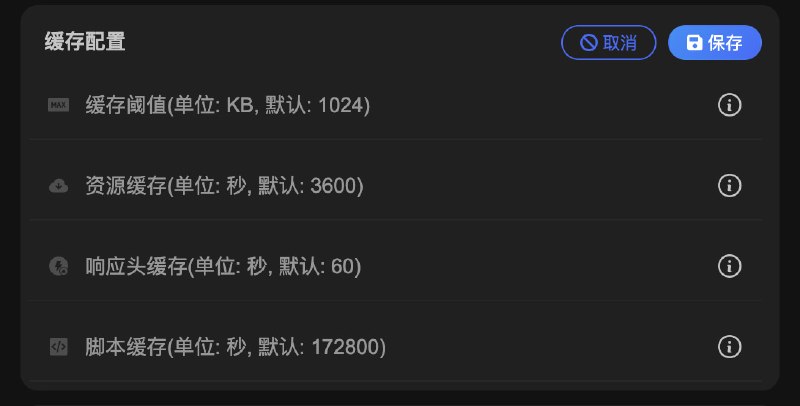
  13. Sub-Store 后端 2.14.225 前端 2.14.144▎后端 Surge 输入/输出支持协议 SSH (仅密码方式) Surge 参数: tos allow-other-interface interface test-udp test-timeout hybrid Stash 参数 benchmark-timeout sing-box 输出支持 SSH▎前端样式和文案优化协议类型筛选新增 SSH 相关内容链接参数说明 脚本使用说明 Sub-Store 代理 App 版安装下载 Sub-Store 服务器/云平台/Docker/Android 版的相关教程

    Sub-Store

    后端 2.14.225 前端 2.14.144

    ▎后端

    Surge 输入/输出支持协议 SSH (仅密码方式)

    Surge 参数: tos allow-other-interface interface test-udp test-timeout hybrid

    Stash 参数 benchmark-timeout

    sing-box 输出支持 SSH

    ▎前端

    样式和文案优化

    协议类型筛选新增 SSH

    相关内容

    链接参数说明
    脚本使用说明

    Sub-Store 代理 App 版安装下载

    Sub-Store 服务器/云平台/Docker/Android 版的相关教程
    • ❤️6
    • 👍1
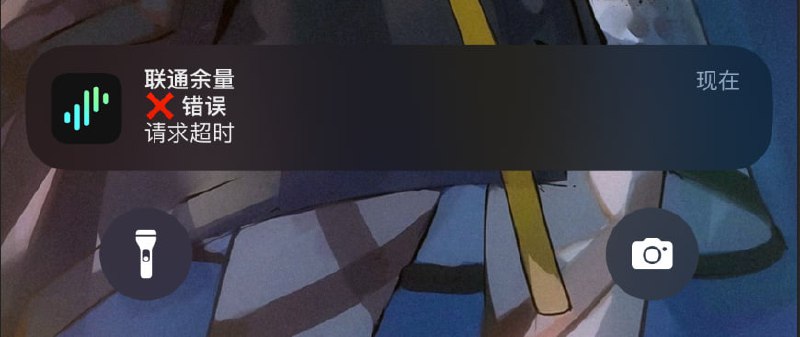
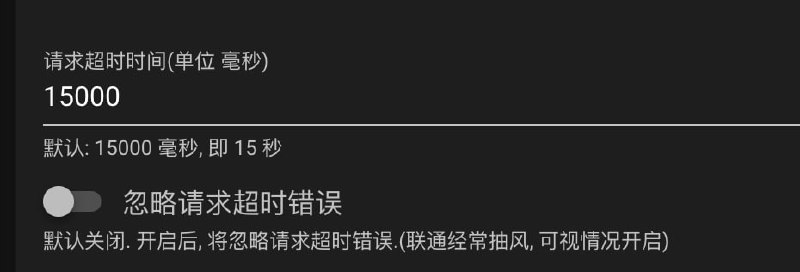
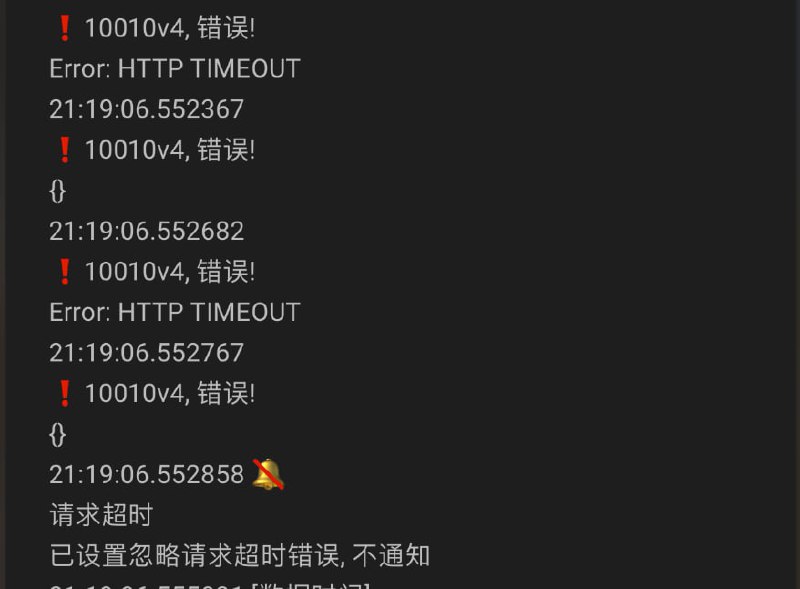
  14. #联通余量 支持 忽略请求超时错误 和 请求超时时间

    折腾啥
    1. 群主/群相关人员从未写过短信转发或联通相关的代码. 流传的某些含有与群主/群相关人员用户名/昵称/网名/真实姓名/绰号/ID 雷同的信息的代码, 均与群主/群相关人员无关. 请勿对号入座. 请勿以此为依据骚扰群主/群相关人员或对群主/群相关人员进行追责. 本群组与短信转发或联通相关的代码均无任何关系, 仅做测试学习研究讨论之用 2. 某些不愿透露姓名的开发人员 编写了 联通 相关的脚本/代码 请查看 https://github.com/ChinaTelecomOperators/ChinaUnicom…
    #联通余量

    支持 忽略请求超时错误请求超时时间