
折腾啥

  1. Incoming Connections for Tailscale and WireGuard

    Forwarded from Surge TestFlight Feed
    Incoming Connections for Tailscale and WireGuard

    Surge can now accept connections that come in through Tailscale and WireGuard, not just send traffic out. Incoming requests are handled like any other request: they go through your rules and policies and show up in the request list.

    Tailscale
    - accept-incoming = true: other devices on your tailnet can connect to this device through its tailnet address. For example, they can use Surge's HTTP/SOCKS5 proxy or other services running on this device.
    - advertise-exit-node = true: offer this device as an exit node. Other tailnet devices that select it send all their internet traffic through Surge's rules.
    - advertise-routes = 192.168.1.0/24, ...: offer this device as a subnet router for the listed networks.
    - Exit nodes and subnet routes take effect after you approve them in the Tailscale admin console.

    WireGuard
    - accept-incoming = true: the peer side can open connections to this device through an existing tunnel.
    - listen-port = 51820: Surge acts as a WireGuard server that phones, laptops, and other clients can connect to. A peer can leave out endpoint; Surge learns the client's address when it connects and keeps up when the address changes.
    - Clients can set Surge's tunnel address as their DNS server, and Surge's DNS will answer their queries.

    Note: Surge does not apply your Tailscale access control policy to incoming connections. Use rules such as SRC-IP to limit who can reach which destination.

    Requires iOS 5.24.0+ / Mac 6.11.0+. See the Tailscale and WireGuard pages in the manual for details and example configurations.

    • 👍3
    • ❤‍🔥1
    • 🤡1
  2. 一则来自森林集的告别信

    Forwarded from 聚合解析姬
    一则来自森林集的告别信。

    ▎Source

    • ❤️2
    • 👍2
  3. linkding-cn: 开源自托管的书签管理与稍后读工具

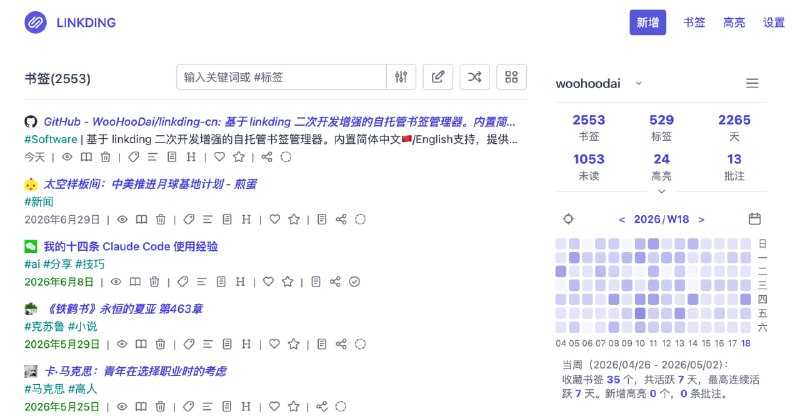
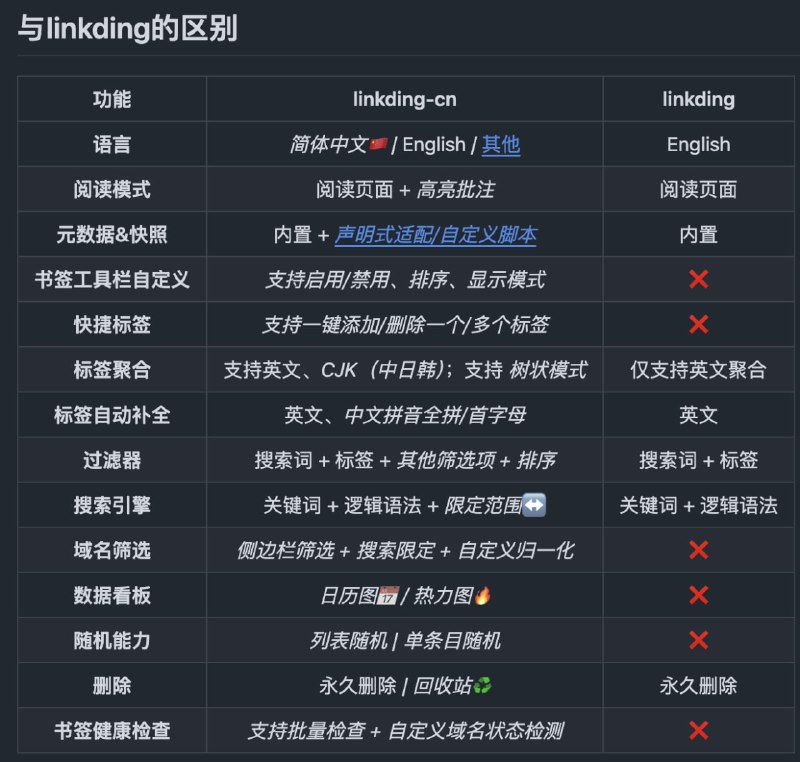
    linkding-cn: 开源自托管的书签管理与稍后读工具

    基于 linkding 二次开发

    • 自动保存网页元数据、Favicon 与 HTML 快照,支持站点适配规则和自定义抓取脚本

    • 提供可定制阅读模式,支持正文提取、高亮批注及阅读主题配置

    • 内置标签筛选、逻辑搜索、数据看板、随机浏览与书签健康检查

    https://github.com/WooHooDai/linkding-cn

    合集 群组 恰饭 联系推广

    #书签管理 #稍后读 #自托管 #网页存档 #Docker #GitHub

  4. TokenPulse: 在 iPhone 与 Apple Watch 集中监控 AI 服务套餐额度与账户余额

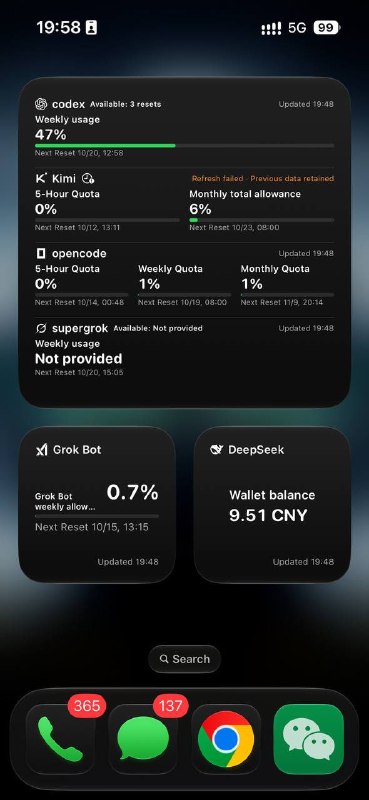
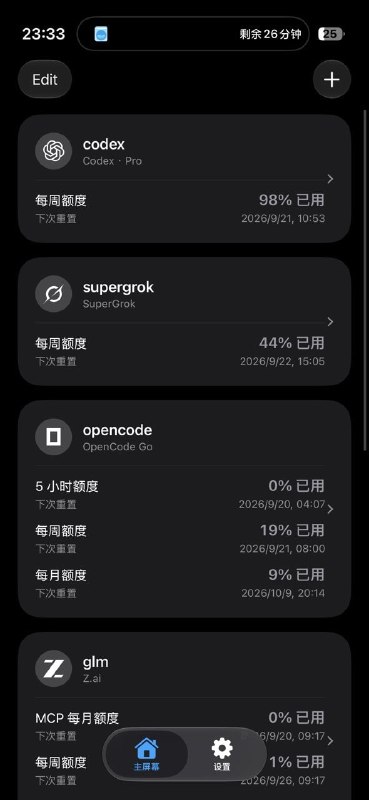
    TokenPulse: 在 iPhone 与 Apple Watch 集中监控 AI 服务套餐额度与账户余额

    TestFlight: https://testflight.apple.com/join/jrHbrKmH

    • 覆盖 78 个 AI Provider,支持套餐额度、API 钱包、预算、积分及 GPU 时长查询

    • 支持额度阈值、低余额与重置提醒,集成 Codex 重置公告和预测提醒

    • 提供 iPhone、锁屏、Apple Watch 表盘及智能叠放小组件,支持可选 iCloud 同步

    https://github.com/hqwuzhaoyi/TokenPulse

    合集 群组 恰饭 联系推广

    #AI #iOS #AppleWatch #额度监控 #TokenPulse

    • 👍5
  5. #网上国网 #修复更新 #Scriptable

    Forwarded from Scriptable教学 (🅼🅄🆃🅄)
    #网上国网 #修复更新 #Scriptable

    更新内容:无需Boxjs,无需其他重写脚本,直接按网上国网 Android App 3.2.3 协议登录查询(SM2/SM3/SM4 加密 + Turing 设备令牌)

    特别说明:协议与设备令牌算法移植自 stevenjoezhang/hass-state-grid(MIT License, Copyright (c) 2026 stevenjoezhang)
    参考来源:https://raw.githubusercontent.com/zhaohantao1360-hash/Hark/main/sgcc-hark.yaml


    脚本连接:
    https://raw.githubusercontent.com/githubdulong/Script/master/Scriptable/SGCC.js

    • 👍2
  6. 🍿 DualSubs: 🔣 Universal v1.8.1

    Forwarded from 🍟 整点薯条: 频道 (ㅤ Miss. ㅤㅤChristine)
    🍿 DualSubs: 🔣 Universal v1.8.1
    🍿 DualSubs: ▶️ YouTube v1.6.0 已更新

    Powered by Chavy‘s 🧰BoxJs and Env.js
    Available in 📈Surge, 🏂Stash, 🎈Loon, 🐿️Egern, 🌀 Quantumult X
    Created by 反正不是阿狗

    最近更新
    🧰 DualSubs 项目共用配置
    新增在线配置面板,可管理已安装插件、字幕合成器、翻译器及 API 的设置。

    设置指南(进入方式、配置优先级及设置项):
    https://dualsubs.github.io/guide/settings
    在线设置面板:
    https://dualsubs.github.io/settings/
    配置模板(PreferencePanes):
    https://github.com/NSNanoCat/PreferencePanes

    🔣 Universal(v1.7.6~v1.8.1 近期更新)
    1. 修复 Prime Video 中增强字幕选项无法正常选择的问题。
    2. 适配 Prime Video 的 vod-hls.main.amazon 播放域名,同步更新字幕清单规则及 MitM 域名列表。
    3. 适配 Disney+ 新增的 una- 前缀主播放清单。
    4. 修复副语言字幕只有一个文件时,字幕合成报错的问题。
    5. 修复配置中的空数组无法清空默认选项的问题。
    6. 修正歌词搜索中歌曲专辑和艺术家名称的读取。
    7. 外挂字幕合成使用「外部源」面板中选择的来源,并保留合成器的配置优先级。
    8. 增强字幕名称统一为「语言 [字幕类型]」,语言标识统一为 dualsubs-*,保留各平台播放器的专属处理。
    9. 修复 YouTube 字幕请求已成功返回,但双语合成或翻译结果未写入最终字幕,仍然只显示单语字幕的问题;修复 XML 字幕中的文本空白、特殊字符转义及双语换行异常。
    10. 开发版模块显示实际构建版本,便于确认更新。

    ▶️ YouTube
    1. 修复 App 的自动翻译字幕请求(tlang)可能返回 529、无法显示双语字幕的问题。自动获取并缓存所需 Cookie,无需手动抓取或填写;已有 Cookie 的 Web 请求保持原样。
    2. 开发版模块显示实际构建版本,便于确认是否更新成功。

    ⚠️ 破坏性变更

    为避免模块/插件参数覆盖配置面板或 BoxJs 中保存的设置,默认配置优先级已由「插件配置优先」调整为「持久化存储优先」(Storage=PersistentStore)。

    如需继续优先使用模块/插件中的配置,请将其中的「[储存] 配置类型」设为「插件配置优先」(Storage=Argument)。

    注:
    ⚠️ 请更新 YouTube 模块/插件及全部引用脚本。YouTube 共用的 Universal 字幕合成与翻译脚本也需刷新;已安装 Universal 模块的用户请同步更新。

    安装与使用说明
    🔣 Universal:https://dualsubs.github.io/guide/universal
    ▶️ YouTube:https://dualsubs.github.io/guide/youtube

    问题反馈
    https://github.com/orgs/DualSubs/discussions

    #DualSubs #Universal #YouTube

    • ❤️5
  7. Beta Updates

    Forwarded from Surge TestFlight Feed
    Beta Updates

    Adaptive QUIC Block

    - Added block-quic=adaptive for proxy policies. Surge blocks QUIC at first so the app falls back to HTTPS over TCP. If the app does not fall back within 1 second, as with apps that only support QUIC, QUIC is allowed for that host. Results are remembered per host. The option is also available in the proxy editor on Mac and iOS.
    - block-quic=auto now uses adaptive mode for every policy except DIRECT, so QUIC-only apps keep working through proxies. Policies that cannot relay UDP still block QUIC.
    - QUIC hostname detection now works when the TLS ClientHello spans several packets, which is common in recent browsers using post-quantum key exchange. QUIC v2 and draft-29 are now supported as well. Rules, MITM and request records can now see the hostname of more QUIC connections.

    HTTP API
    - GET /v1/policies of the HTTP API now accepts the include_external=true query parameter. The response then contains an additional external-policies field that lists the policies loaded from external policy groups (policy-path). Each entry includes the policy name, the group it belongs to, and an identifier. Pass the identifier as the policy option of $httpClient to send a request through that policy, since external policies cannot be referenced by name.

    • ❤️2
  8. 模块化分段射击腰带系统

    模块化分段射击腰带系统

    但是感觉比较适合静态 下场的话还是得买腰封

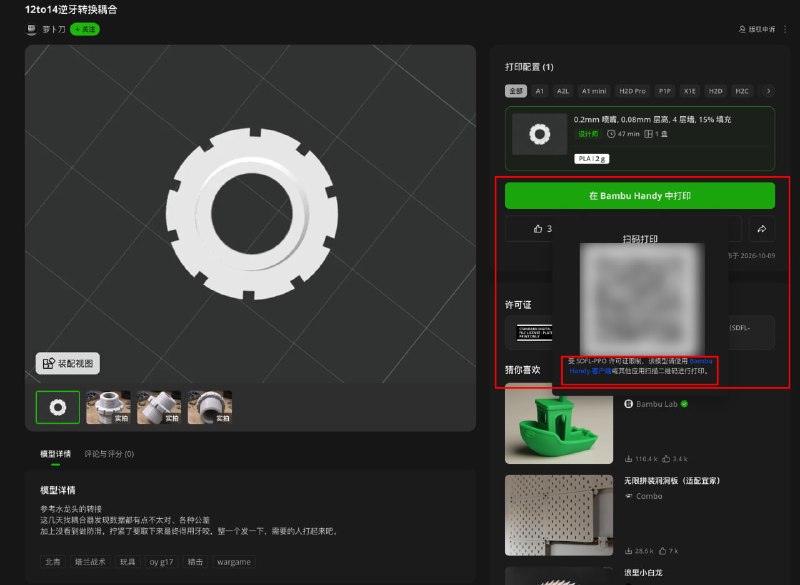
    https://makerworld.com/zh/models/1753998-modular-segmented-shooting-belt-system

    合集 群组 恰饭 联系推广

    #3D #打印 #模型 #腰带 Modular Segmented Shooting Belt System - Free 3D Print Model - MakerWorld

    • ❤️3
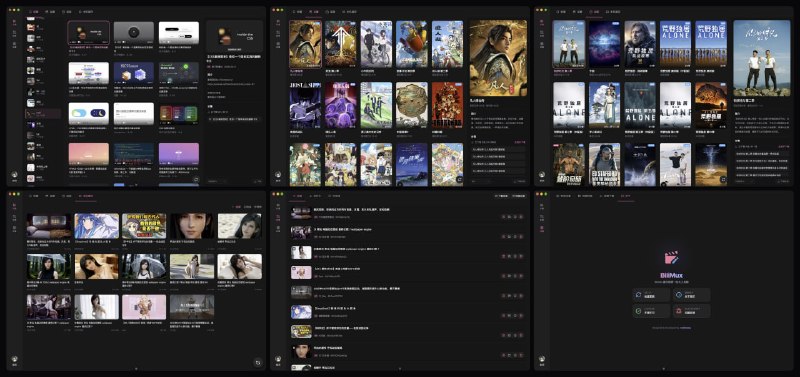
  9. BiliMux: B 站客户端缓存一键转 MP4,登录后可下载收藏、追番和追剧

    BiliMux: B 站客户端缓存一键转 MP4,登录后可下载收藏、追番和追剧

    感谢作者自荐

    • 扫描 B 站客户端缓存,将分离的 m4s 音视频一键合成为 MP4

    • 登录后下载收藏、追番与追剧内容,并自动完成 MP4 合成

    • 提供 Windows、macOS、Linux 安装包,支持任务管理与应用内更新

    https://github.com/W-David/bilimux

    合集 群组 恰饭 联系推广

    #哔哩哔哩 #视频转换 #跨平台 #桌面应用 #MP4 #GitHub

  10. 抽奖: iOS 上省电的行程记录 App Passcord 终身兑换码($19.99)x 30

    抽奖: iOS 上省电的行程记录 App Passcord 终身兑换码($19.99)x 30

    来自前同事&好朋友 App 君的新作品

    👉 参与抽奖 https://t.me/zhetengsha_group/1394789

    V2EX 帖子(介绍): https://www.v2ex.com/t/1247964

    合集 群组 恰饭 联系推广

    #抽奖

    • 👍4
    • ❤️1
  11. Forwarded from Lᴜᴄʏ
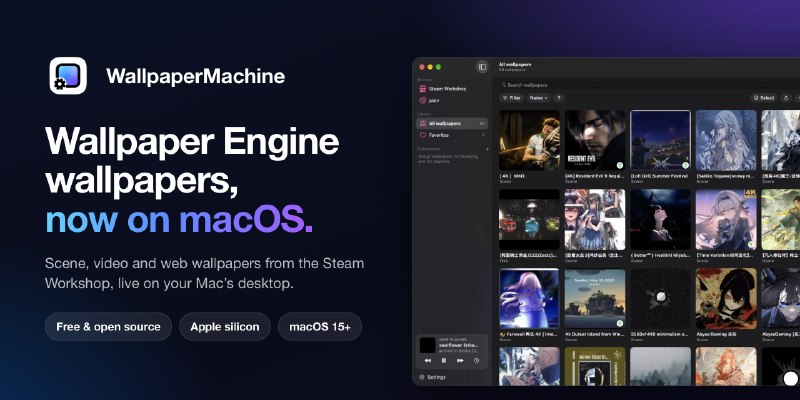
    https://github.com/WallpaperMachine/WallpaperMachine/

    直接继承Steam里面小红车的壁纸
    但是Mac上功耗有点离谱
    复杂一点壁纸直接奔着30W去了

    #WallpaperMachine #WallpaperEngine GitHub - WallpaperMachine/WallpaperMachine: Wallpaper Engine wallpapers on your Mac. A free, open-source app that plays scene,…

    • 👍6
  12. OpenSpatial: 为 Mac 任意耳机提供带头部追踪的 7.1 空间音频

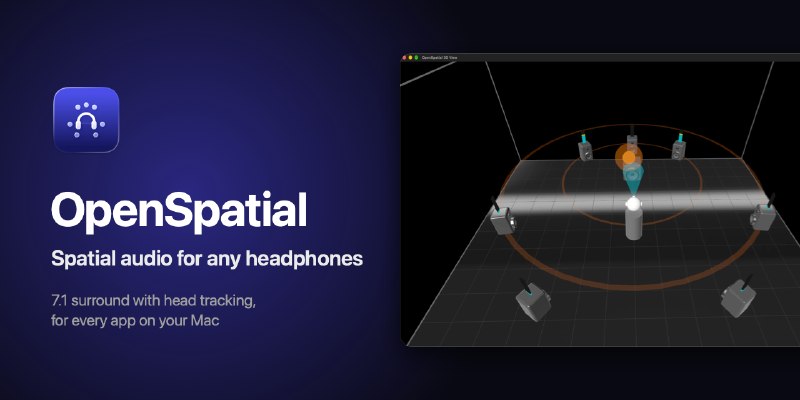
    OpenSpatial: 为 Mac 任意耳机提供带头部追踪的 7.1 空间音频

    • 支持有线与无线耳机,为电影、音乐、游戏及 Wine 中的 Windows 游戏提供全局 7.1 环绕声

    • 通过 Mac 摄像头实现头部追踪,搭配实时 3D 声场视图定位各扬声器与声音来源

    • 基于 Core ML 与 Neural Engine 将立体声智能扩展为环绕声,并提供多种房间声学模拟

    https://github.com/dortanes/openspatial

    合集 群组 恰饭 联系推广

    #空间音频 #Mac #Swift #CoreML #AI #开源项目 #GitHub GitHub - dortanes/openspatial: Spatial audio for any headphones on Mac: 7.1 surround with head tracking for every app, Netflix…

    • 👍8
    • ❤️3
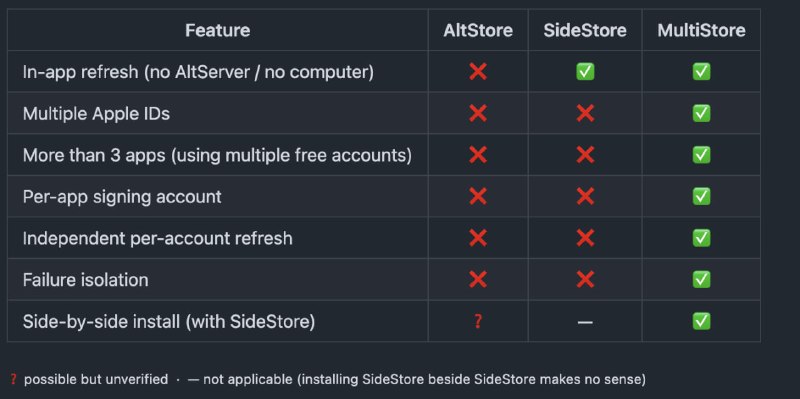
  13. MultiStore: 支持多 Apple ID 独立签名与刷新的 iOS 侧载工具

    MultiStore: 支持多 Apple ID 独立签名与刷新的 iOS 侧载工具

    还没试过 你们玩玩

    • 为每个已安装应用绑定对应的签名账号,按账号分组完成独立刷新

    • 单个账号的会话、证书或应用额度异常仅影响其关联应用

    • 基于 SideStore 构建,可与原版 SideStore 同时安装,并支持后台自动刷新

    https://github.com/lungustefan/MultiStore

    合集 群组 恰饭 联系推广

    #iOS #侧载 #AppleID #SideStore #GitHub

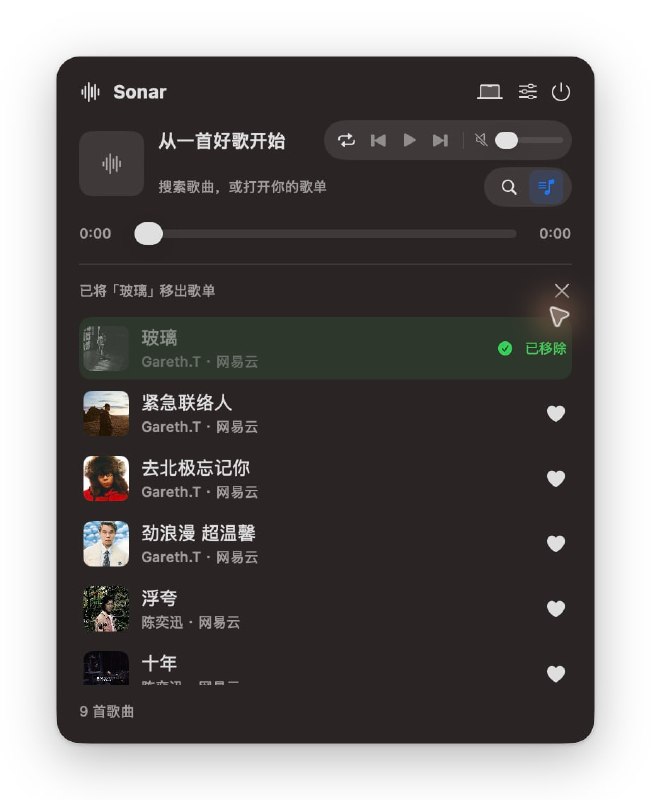
  14. Sonar: 基于 SwiftUI 的原生 iOS 与 macOS 音乐播放器

    Sonar: 基于 SwiftUI 的原生 iOS 与 macOS 音乐播放器

    • 聚合网易云与 QQ 音乐搜索,支持歌曲、歌手与歌单分类检索

    • 提供同步歌词、逐字高亮、本地歌单及 JSON 导入导出

    • macOS 集成菜单栏与刘海屏播放器,支持播放队列、多种循环模式和收藏同步

    https://github.com/can4hou6joeng4/Sonar

    合集 群组 恰饭 联系推广

    #音乐播放器 #SwiftUI #iOS #macOS #GitHub

    • 👍4
    • ❤️1