const tls = require("tls");
const crypto = require("crypto");
function getCertificateInfo(host, port = 443) {
return new Promise((resolve) => {
const socket = tls.connect(
{
host,
port,
servername: host,
rejectUnauthorized: false,
},
() => {
try {
const cert = socket.getPeerCertificate(true);
if (!cert || !cert.raw) {
socket.end();
return resolve({
fingerprint: "",
publicKeySha256: "",
});
}
const x509 = new crypto.X509Certificate(cert.raw);
// SHA256 证书指纹
const fingerprint = cert.fingerprint256 || "";
// SHA256 公钥(SPKI)
const publicKeyDer = x509.publicKey.export({
type: "spki",
format: "der",
});
const publicKeySha256 = crypto
.createHash("sha256")
.update(publicKeyDer)
.digest("base64");
socket.end();
resolve({
fingerprint,
publicKeySha256,
});
} catch {
socket.end();
resolve({
fingerprint: "",
publicKeySha256: "",
});
}
}
);
socket.on("error", () => {
resolve({
fingerprint: "",
publicKeySha256: "",
});
});
});
}
async function operator(proxies, targetPlatform, context) {
console.log(`[证书] INFO: 开始处理 ${proxies.length} 个节点`);
for await (const proxy of proxies) {
const host = proxy.sni || proxy.server;
if (!host || ProxyUtils.isIP(host)) {
console.log(
`[证书] WARN: [${
proxy.name}] 跳过,目标为 IP 或为空 (${host || "-"})`
);
continue;
}
console.log(
`[证书] INFO: [${
proxy.name}] 正在获取 ${host} 的证书信息`
);
const cert = await getCertificateInfo(host);
proxy.fingerprint = cert.fingerprint;
if (cert.publicKeySha256) {
proxy._certificate_public_key_sha256 = [cert.publicKeySha256];
}
if (cert.fingerprint) {
console.log(
`[证书] LOG: [${
proxy.name}] fingerprint=${cert.fingerprint}, public_key_sha256=${cert.publicKeySha256}`
);
} else {
console.log(`[证书] WARN: [${
proxy.name}] 获取证书失败`);
}
}
console.log(`[证书] INFO: 全部节点处理完成`);
return proxies;
}


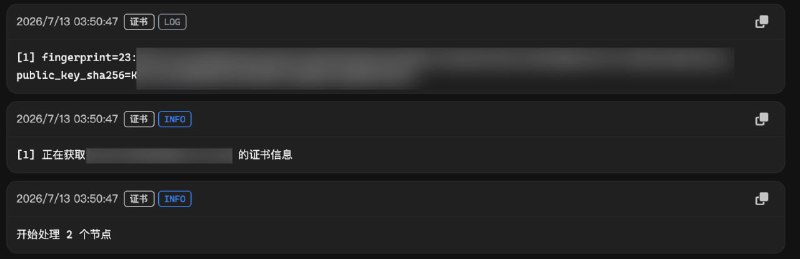
 Sub-Store 自动设置服务端证书 SHA-256 指纹
 sing-box 的
  自建节点证书相关说明
 服务器合集
服务器合集  合集
合集  恰饭推荐
恰饭推荐  群组
群组  联系推广
联系推广 #节点 #证书 #SNI #TLS #SHA256 #指纹 #SSL #sing-box #mihomo #surge