

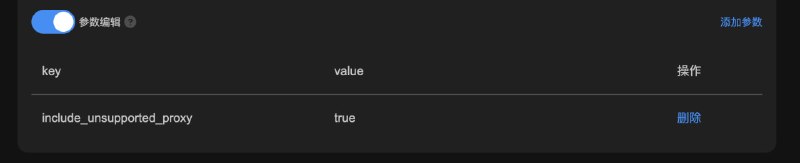

 Sub-Store 落地相关的检测脚本更新
include_unsupported_proxy
 Sub-Store 合集
  频道资源合集
  恰饭推荐
恰饭推荐  群组
群组  联系推广
联系推广 #Sub-Store #SubStore #脚本 #节点 #订阅 #检测 #check #HTTP-META #HTTPMETA #Meta #Clash #脚本 #Node #服务器 #VPS
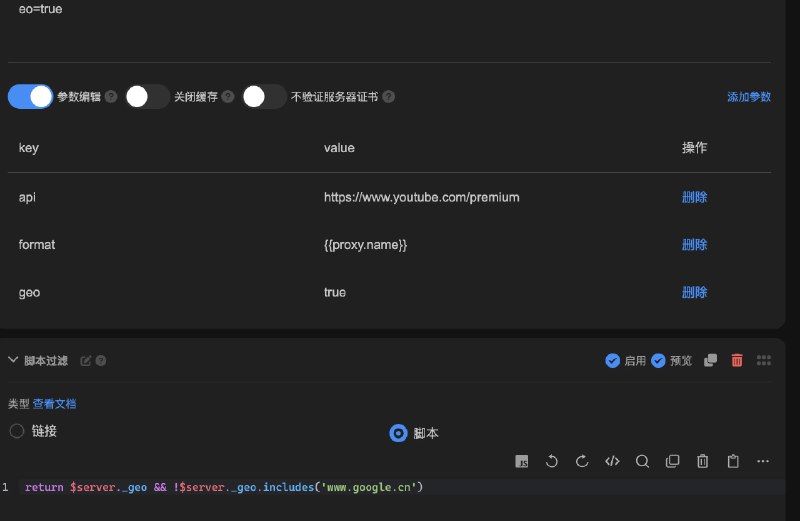 Sub-Store 节点送中检测
return $server._geo && !$server._geo.includes('www.google.cn') Sub-Store 合集 频道资源合集 恰饭推荐 群组 #Sub-Store #SubStore #脚本 #节点 #订阅 #检测 #check #HTTP-META #HTTPMETA #Meta #Clash #脚本 #Node #服务器 #VPS #落地 #Google #送中 #YouTube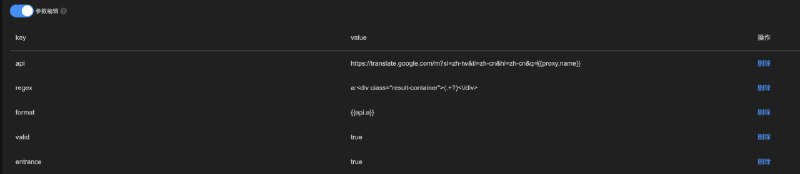 Sub-Store 检测脚本更新
https://translate.google.com/m?sl=zh-tw&tl=zh-cn&hl=zh-cn&q={{proxy.name}}a:<div class="result-container">(.+?)<\/div>{{api.a}} Sub-Store 合集 频道资源合集 恰饭推荐 群组 #Sub-Store #SubStore #脚本 #节点 #订阅 #检测 #check #HTTP-META #HTTPMETA #Meta #Clash #脚本 #Node #服务器 #VPS Sub-Store 的节点 入口 & 落地 检测 完整示例配置更新 原消息 Sub-Store 合集 频道资源合集 恰饭推荐 群组 #Sub-Store #SubStore #脚本 #节点 #订阅 #节点信息 #检测 #check #HTTP-META #HTTPMETA #Meta #Clash #Node #服务器 #VPS #GEO #落地 #节点落地 #落地检测 #入口 #节点入口 #入口检测
![Sub-Store 从 Google 服务条款 获取国家/地区版本- 检测落地 脚本支持使用正则从响应获取数据使用场景: 从网页响应中获取某些信息, 自定义节点名称举例: 从 Google 服务条款 获取国家/地区版本 如图所示cv:data-name="country-version"[^>]*>[^<]*<\/a>\s*([^<]+)如果想要英文的就用](/static/https://cdn5.telesco.pe/file/qroVvG9XKNLdKEBUe8wK9DAnDMskBo3VYTnd8DTD1DLArCrg6zXusS3v2vtMaoKS5IbQtZNyBJdlWPRUmDtfCjrzT60UhT7JMiYZ7h3SczIoI2i-tumTr2fwDEzKJuJi7WviemsVDVYuRO-HJTr8sjuqib5VFMA8SkixJn7FGlI3xt4jM9MI6ob6B6FvWTgMywKcTdwos0cxvTyVhMKtJrqMaSH6_ypadKmmRbdNylUI_r2wuQnmzZ01YagvzKQjSbkOGdX2pHQyx2-yQyBv-yBGba3D8hIq_zrd7RwT2pGnmK9f6KM7FPoprSXBnHfMaXIPyVEU4uV4EIsNrkgaOg.jpg) Sub-Store 从 Google 服务条款 获取国家/地区版本
Sub-Store 从 Google 服务条款 获取国家/地区版本cv:data-name="country-version"[^>]*>[^<]*<\/a>\s*([^<]+)https://policies.google.com/terms?hl=en-US Sub-Store 合集 频道资源合集 恰饭推荐 群组 #Sub-Store #SubStore #脚本 #节点 #订阅 #检测 #check #HTTP-META #HTTPMETA #Meta #Clash #脚本 #Node #服务器 #VPS #落地 #Google #服务条款 Sub-Store 的 GPT 检测脚本更新_gpt_latency 字段, 指响应延迟disable_failed_cache, 禁用失败缓存. 即不缓存失败结果 原消息 Sub-Store 合集 频道资源合集 恰饭推荐 群组 #Sub-Store #SubStore #脚本 #节点 #订阅 #GPT #OPENAI #检测 #check #HTTP-META #HTTPMETA #Meta #Clash #脚本 #Node #服务器 #VPS qichiyuhub/sbshell 频道资源合集 恰饭推荐 群组 #开源 #GitHub #singbox #sbshell #代理 #订阅 #脚本
entrance.js 和 http_meta_geo.js Sub-Store 入口/落地检测 更新 1. 默认情况下节点域名会被解析为 IP, 若想还原节点域名, 可在最后加一步节点操作
if ($server._domain) $server.server = $server._domain 2. 部分 IP(如各种 CDN
  ) 使用内部方法 GEO 数据 可能无法得到
 countryCodeaso 和 countryCode 存在其一即可🇨🇳.*➮(.*)$ => $1 中转 查看 发布帖 Sub-Store 节点 UDP 检测脚本
HTTP-METAntp 用于检测的 NTP 服务器. 默认 time.apple.com 参数一般不用加 这里仅做一个示范
https://raw.githubusercontent.com/xream/scripts/main/surge/modules/sub-store-scripts/check/http_meta_udp.js#concurrency=10&timeout=5000&retries=1 Sub-Store 合集 频道资源合集 恰饭推荐 群组 #Sub-Store #SubStore #脚本 #节点 #订阅 #节点信息 #检测 #check #脚本 #Node #服务器 #VPS #UDP
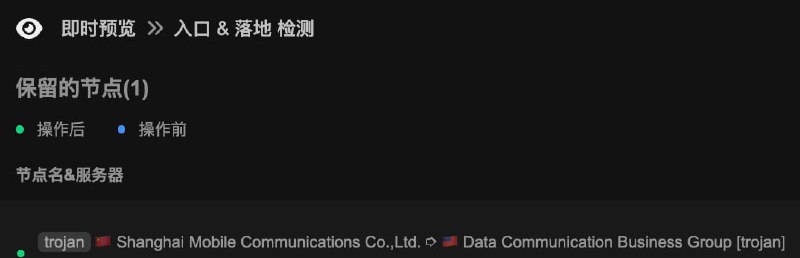 Sub-Store 的节点 入口 & 落地 检测 完整示例配置 支持的运行环境 请查看 检测落地脚本 和 检测入口脚本 说明
图 1 导入我的 预设配置: 1. App (使用内部接口版) 2. App (使用网络请求版) 3. Node.js 版 internal 参数使用内部方法获取数据, 数据来自 GEOIP 数据库, 大幅提速订阅 中, 输入你的 本地节点 或 远程订阅timeout 超时, retries 重试次数图 2 的结果 默认情况下节点域名会被解析为 IP, 若想还原节点域名, 可在最后加一步节点操作: if ($server._domain) $server.server = $server._domain🇨🇳.*➮(.*)$ => $1 中转 部分 IP(如各种 CDN ) 使用内部方法 GEO 数据 可能无法得到 countryCode Sub-Store 合集 频道资源合集 恰饭推荐 群组 #Sub-Store #SubStore #脚本 #节点 #订阅 #节点信息 #检测 #check #HTTP-META #HTTPMETA #Meta #Clash #Node #服务器 #VPS #GEO #落地 #节点落地 #落地检测 #入口 #节点入口 #入口检测 Sub-Store 的节点入口信息检测脚本 支持自由设置 接口 和 格式internal: 可切换为使用内部方法获取数据, 数据来自 GEOIP 数据库, 无需网络请求. 适用于以下环境:  Surge,
  Loon(build >= 692) 等有
 $utils.ipaso 和 $utils.geoip API 的 AppNode.js 版 Sub-Store, 设置环境变量 SUB_STORE_MMDB_COUNTRY_PATH 和 SUB_STORE_MMDB_ASN_PATH 或 传入 mmdb_country_path 和 mmdb_asn_path 参数(分别为 MaxMind GeoLite2 Country 和 GeoLite2 ASN 数据库 的路径) 部分 IP(如各种 CDN ) 使用内部方法 GEO 数据 可能无法得到 countryCodetimeout, concurrency , retries 适当调节  与测落地不同 测入口可能会因为请求过于频繁被风控
api 接口. 默认为 http://ip-api.com/json/{{proxy.server}}?lang=zh-CNformat 自定义格式, 从 节点(proxy) 和 入口 API 响应(api)中取数据. 默认为: {{api.country}} {{api.isp}} - {{proxy.name}}valid 验证 api 请求是否合法. 默认: ProxyUtils.isIP('{{api.ip || api.query}}') (判断 响应中的字段是否为合法`IP`)参数一般不用加 这里仅做一个示范https://raw.githubusercontent.com/xream/scripts/main/surge/modules/sub-store-scripts/check/entrance.js#concurrency=10&timeout=5000&retries=1 抛砖引玉 提供一个 可一键导入的入口测试配置
 最新: 节点 入口 & 落地 检测 完整示例配置 Sub-Store 合集 频道资源合集 恰饭推荐 群组 #Sub-Store #SubStore #脚本 #节点 #订阅 #节点信息 #检测 #check #脚本 #Node #服务器 #VPS #GEO #入口 #节点入口 #入口检测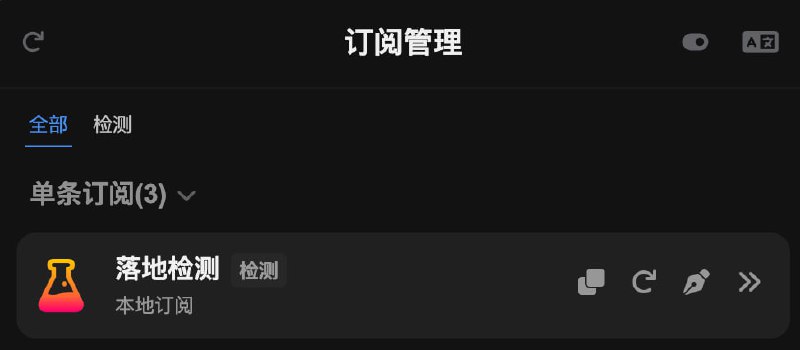
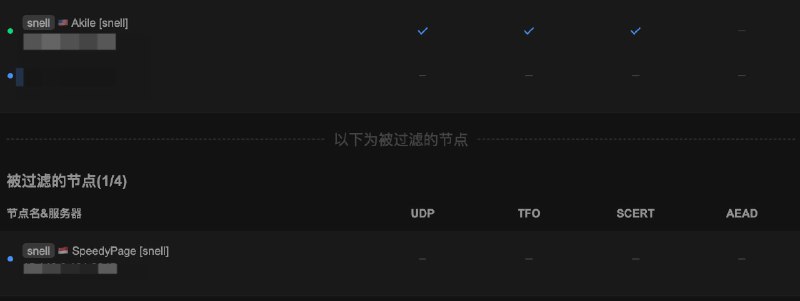 Sub-Store 落地检测完整流程导出数据 Loon, Surge(
ability=http-client-policy) 和 任何能运行 HTTP META 的环境2.14.229 后端 >= 2.14.298 相关内容
相关内容 Sub-Store 代理 App 版安装下载
 Sub-Store 服务器/云平台/Docker/Android 版的相关教程 相关脚本整合 Sub-Store 的节点落地信息脚本 支持自由设置
 接口 和 格式 Loon 和 Surge Surge 支持, 参数看 脚本说明)HTTP META 配合) HTTP META 本体internal: 可切换为使用内部方法获取数据, 数据来自 GEOIP 数据库. 此时仅需要一个支持返回 IP 的远程 API, 大幅缩短了请求时长. 适用于以下环境: Surge, Loon(build >= 692) 等有 $utils.ipaso 和 $utils.geoip API 的 AppNode.js 版 Sub-Store 需配置 GEOIP 数据, 设置环境变量 SUB_STORE_MMDB_COUNTRY_PATH 和 SUB_STORE_MMDB_ASN_PATH 或 传入 mmdb_country_path 和 mmdb_asn_path 参数(分别为 MaxMind GeoLite2 Country 和 GeoLite2 ASN 数据库 的路径) 部分 IP(如各种 CDN ) 使用内部方法 GEO 数据 可能无法得到 countryCodetimeout, concurrency 适当调节api 接口. 默认为 http://ip-api.com/json?lang=zh-CNformat 自定义格式, 从 节点(proxy) 和 API 接口响应(api) 中取数据. 默认为: {{api.country}} {{api.isp}} - {{proxy.name}}eval 所以...其实可以玩很多花活 甚至可以 当前日期: {{new Date().toLocaleDateString()}} 
https://speed.cloudflare.com/meta
{{api.country}} {{api.asOrganization}} - {{proxy.name}}参数一般不用加 这里仅做一个示范 Loon 和 Surge (需使用 有 ability=http-client-policy 的模块) 版:https://raw.githubusercontent.com/xream/scripts/main/surge/modules/sub-store-scripts/check/geo.js#concurrency=10&timeout=5000&retries=1
HTTP META 配合)https://raw.githubusercontent.com/xream/scripts/main/surge/modules/sub-store-scripts/check/http_meta_geo.js#http_meta_protocol=http&http_meta_host=127.0.0.1&http_meta_port=9876&http_meta_start_delay=3000&http_meta_proxy_timeout=10000 最新: 节点 入口 & 落地 检测 完整示例配置 Sub-Store 合集 频道资源合集 恰饭推荐 群组 #Sub-Store #SubStore #脚本 #节点 #订阅 #节点信息 #检测 #check #HTTP-META #HTTPMETA #Meta #Clash #脚本 #Node #服务器 #VPS #GEO #落地 #节点落地 #落地检测 Node.js 版 Sub-Store 的 GPT 检测 Surge Loon 用这个: App 版脚本 Sub-Store 版本应 >= 2.14.112 HTTP META 本体参数一般不用加 这里仅做一个示范
timeout 可适当调小 gpt_prefix 显示前缀. 默认为 "[GPT] "_gpt 字段, 可用于脚本筛选 示范_gpt_latency 字段, 指响应延迟disable_failed_cache, 禁用失败缓存. 即不缓存失败结果https://raw.githubusercontent.com/xream/scripts/main/surge/modules/sub-store-scripts/check/http_meta_gpt.js#timeout=1000&retries=1&retry_delay=1000&concurrency=10&client=iOS&http_meta_protocol=http&http_meta_host=127.0.0.1&http_meta_port=9876&http_meta_start_delay=3000&http_meta_proxy_timeout=10000 Sub-Store 合集 频道资源合集 恰饭推荐 群组 #Sub-Store #SubStore #脚本 #节点 #订阅 #GPT #OPENAI #检测 #check #HTTP-META #HTTPMETA #Meta #Clash #脚本 #Node #服务器 #VPS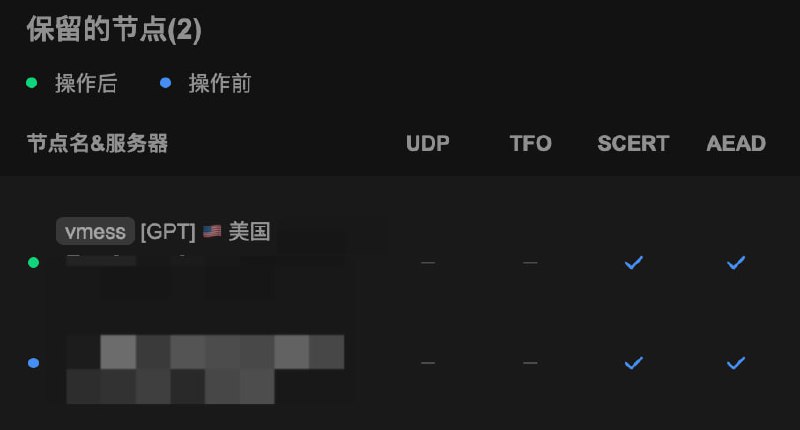
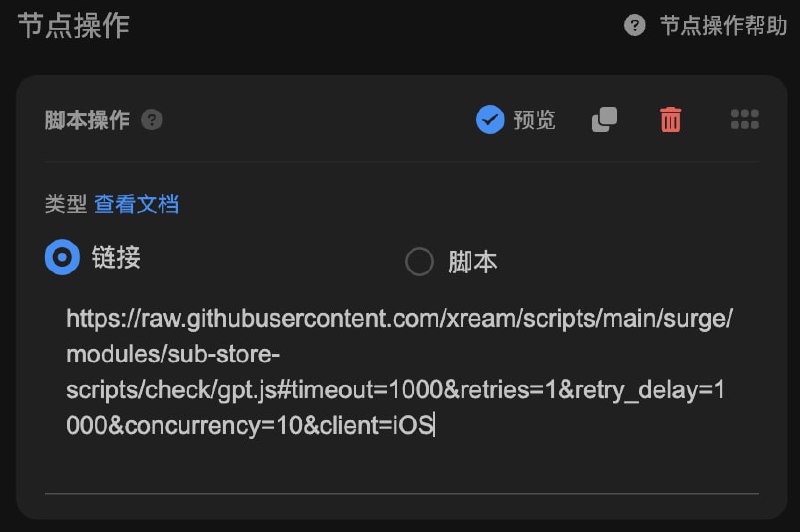 代理 App 版 Sub-Store GPT 检测脚本
 更新: 同时判断响应错误内容
403 , 但是响应中有 unsupported_country Loon 和 Surge(需使用 有
 ability=http-client-policy 的模块)timeout 可适当调小gpt_prefix 显示前缀. 默认为 "[GPT] "_gpt 字段, 可用于脚本筛选 示范_gpt_latency 字段, 指响应延迟disable_failed_cache, 禁用失败缓存. 即不缓存失败结果https://raw.githubusercontent.com/xream/scripts/main/surge/modules/sub-store-scripts/check/gpt.js#timeout=1000&retries=1&retry_delay=1000&concurrency=10&client=iOS 相关内容 添加一个流量信息的节点 Sub-Store 合集 频道资源合集 恰饭推荐 群组 #Sub-Store #SubStore #脚本 #节点 #订阅 #GPT #OPENAI #检测 #check
 Egern
Egern
 部分客户端验证 UUID 格式, 默认逻辑里加了一个验证