在
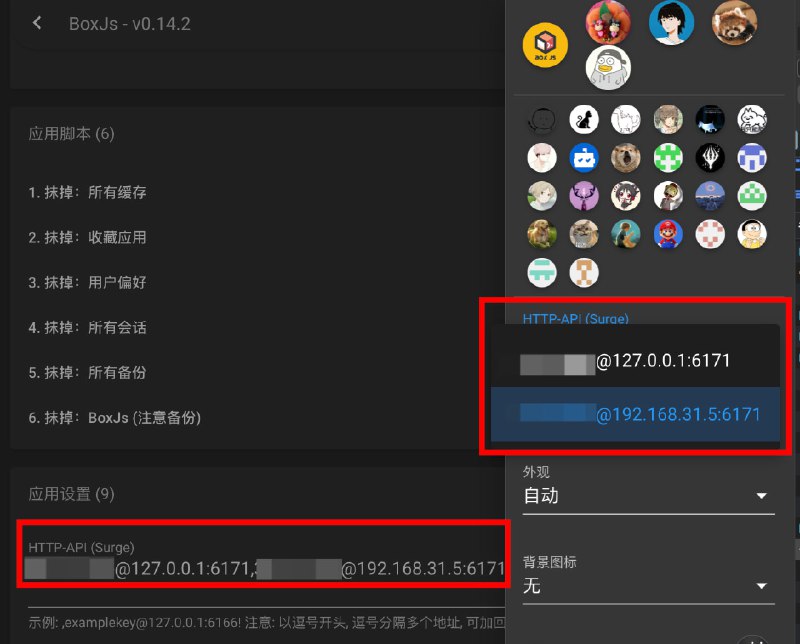
 BoxJs 的 偏好设置 中填写多个 HTTP API:
[email protected]:6171,[email protected]:6171在侧栏中可以选择使用哪个
便于在电脑上使用设备上的 代理 App 进行调试
- ❤️1
 BoxJs 的 偏好设置 中填写多个 HTTP API:
[email protected]:6171,[email protected]:6171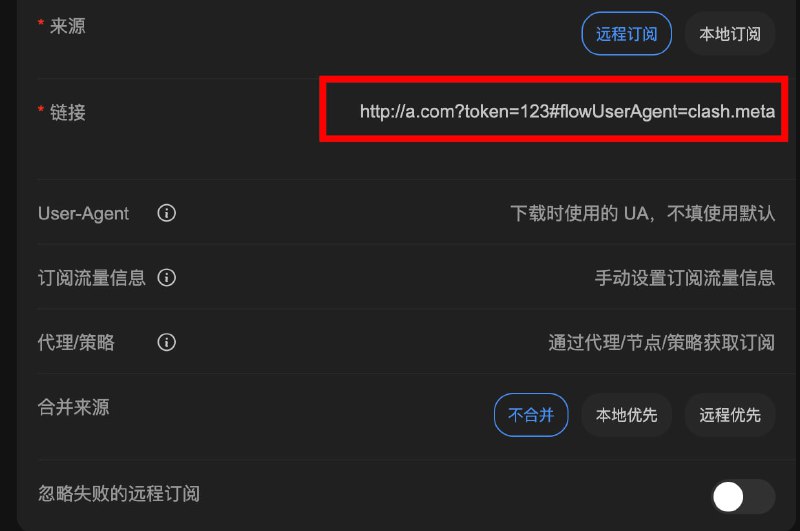
 Sub-Store
 后端
后端 2.14.255 前端 2.14.164 QX 的
QX 的 User-Agent 下发订阅流量信息... 支持设置查询远程订阅流量信息时的
 User-AgentencodeURIComponent 编码http://a.com?token=123#flowUserAgent=clash.meta 相关内容
相关内容 Sub-Store 代理 App 版安装下载
 Sub-Store 服务器/云平台/Docker/Android 版的相关教程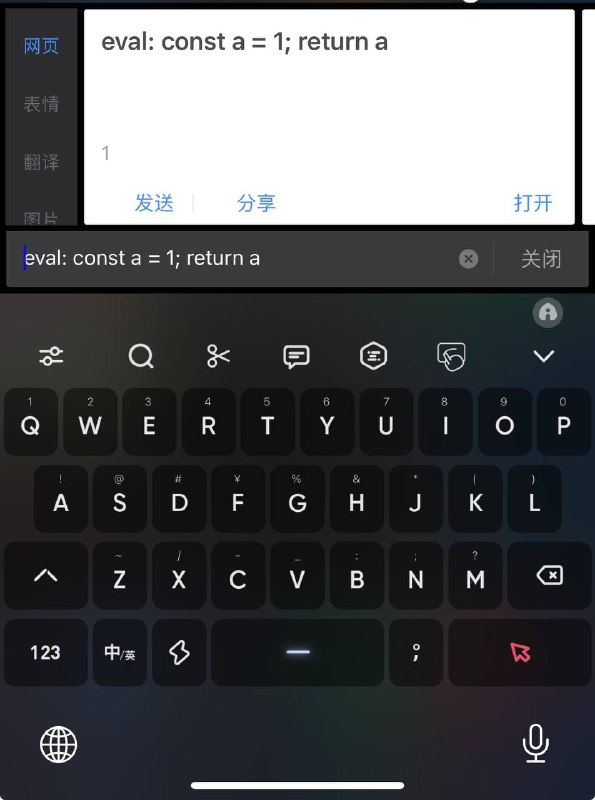
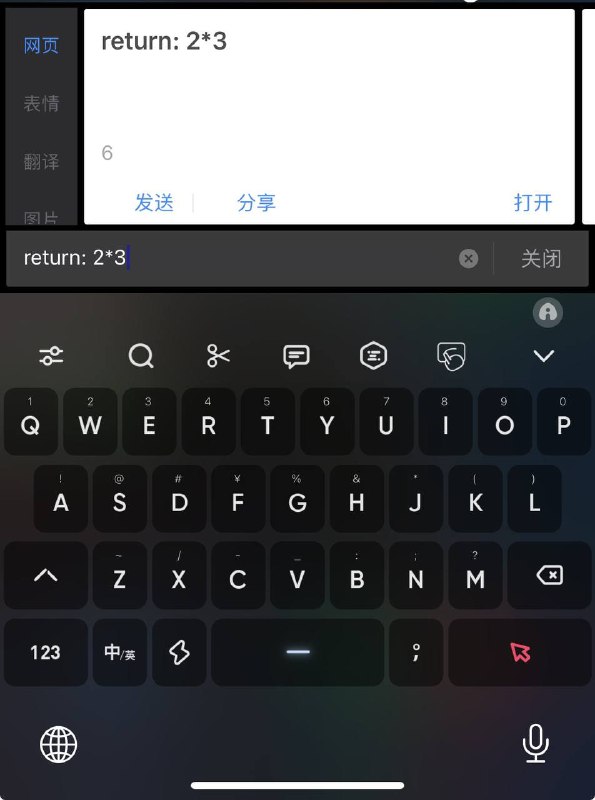
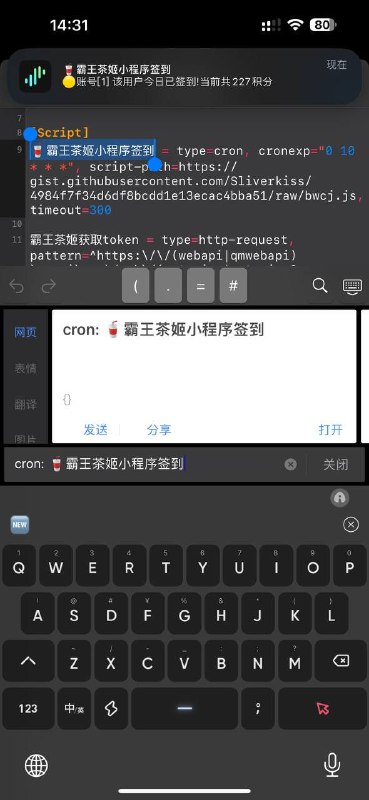
 #百度输入法 #魔改 #ChatGPT #Gemini #AI #输入法 #eval #代码 #脚本 #模块 #插件 #Surge #Loon 新增执行代码/脚本功能
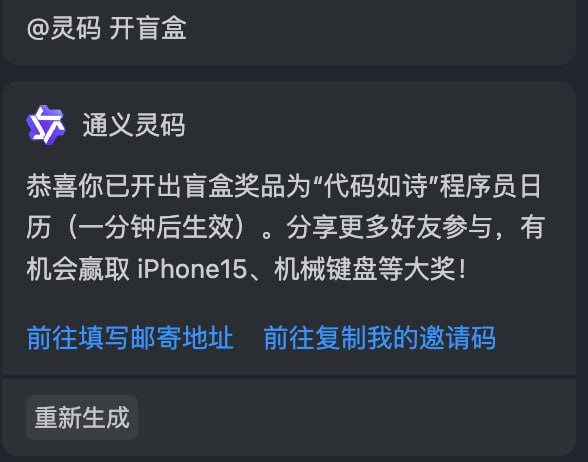
TYPE 填 GeminiKEY 填 Gemini 的 KeyAPI 留空即可可执行代码, 如图1(需要 return) ; 可快速执行代码, 如图2(不需要 return) 有字数限制 仅供娱乐可执行脚本, 如图3(仅支持
  Surge 中的
 cron 脚本)搜索第一项插入 ChatGPT/Gemini (视频演示)链接 改为 Google Loon 插件 Surge iOS TestFlight 版模块 超时和最大 token 数 按需调整 不然容易超时
 Sub-Store 后端
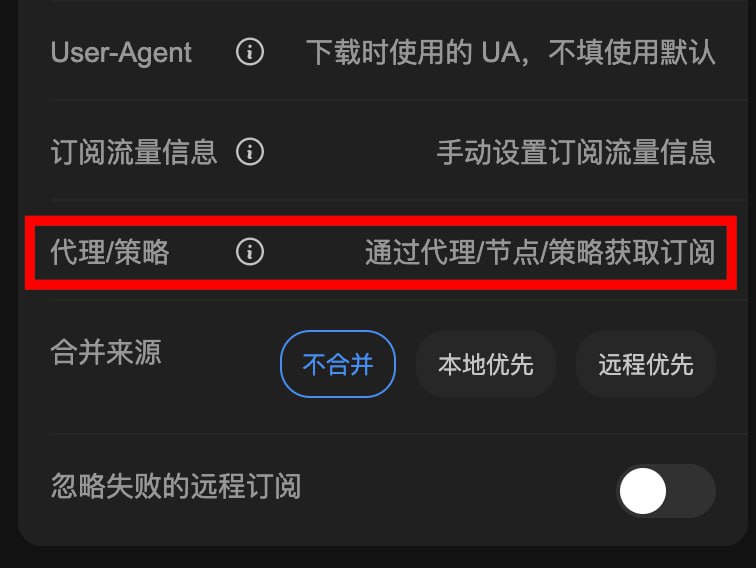
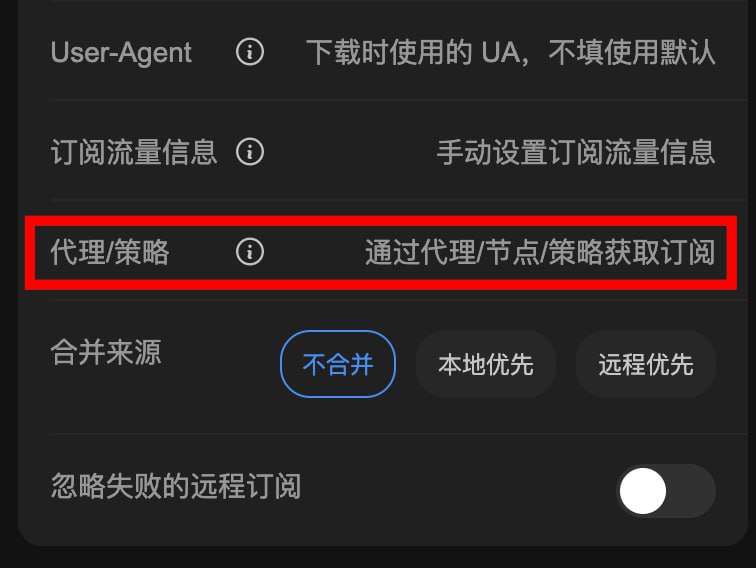
 2.14.254 前端 2.14.163支持通过代理/策略/节点获取订阅 Surge(需使用 有 ability=http-client-policy 的模块, 参数 policy/policy-descriptor)Test = snell, 1.2.3.4, 8000, psk=password, version=4国外加速Loon(参数 node)shadowsocksr,example.com,1070,chacha20-ietf,"password",protocol=auth_aes128_sha1,protocol-param=test,obfs=plain,obfs-param=edge.microsoft.com ) Stash(参数
 headers.X-Stash-Selected-Proxy)/ Shadowrocket(参数
 headers["X-Surge-Policy"])/ QX(参数 opts.policy)request 的 proxy 参数):http://127.0.0.1:8888 使用场景 Sub-Store 搭建在服务器上, 无法使用服务器 IP 拉取订阅. 可以通过 ZeroTier 组网的另一台设备上的代理(比如家宽) 来拉取节点 Surge 中使用某个节点去拉取订阅 相关内容 Sub-Store 代理 App 版安装下载 Sub-Store 服务器/云平台/Docker/Android 版的相关教程brew install imagemagickbrew info imagemagick 查看 路径
==> imagemagick: stable 7.1.1-29 (bottled), HEAD
Tools and libraries to manipulate images in many formats
https://imagemagick.org/index.php
/usr/local/Cellar/imagemagick/7.1.1-29_1 (809 files, 29MB) */usr/local/Cellar/imagemagick/7.1.1-29_1cd /tmp/webp 此为你存放 webp 文件的目录/usr/local/Cellar/bin/imagemagick/7.1.1-29_1/mogrify -format gif *.webpbrew install ffmpegfor file in *.gif; do ffmpeg -i "$file" -movflags faststart -pix_fmt yuv420p -vf "scale=trunc(iw/2)*2:trunc(ih/2)*2" "${file%.gif}.mp4"; done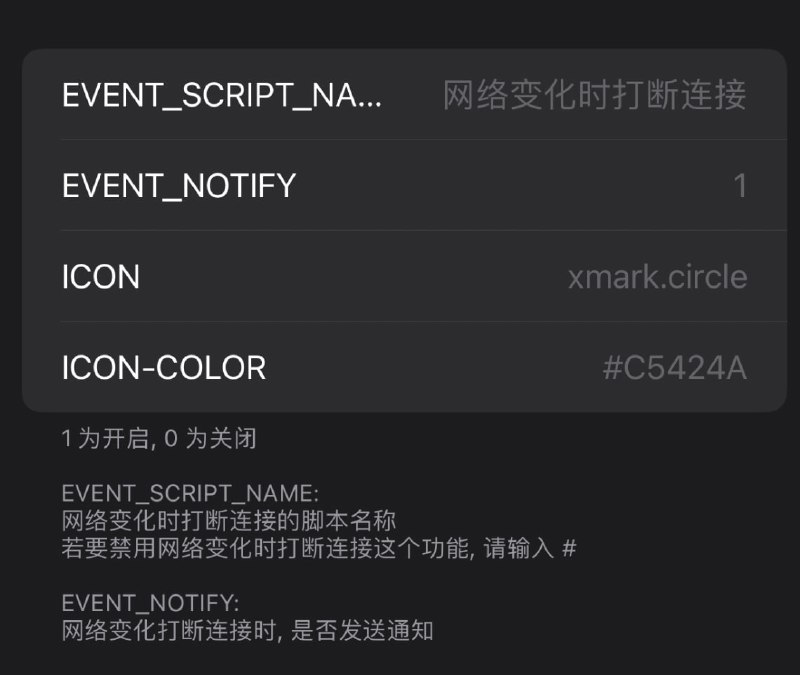
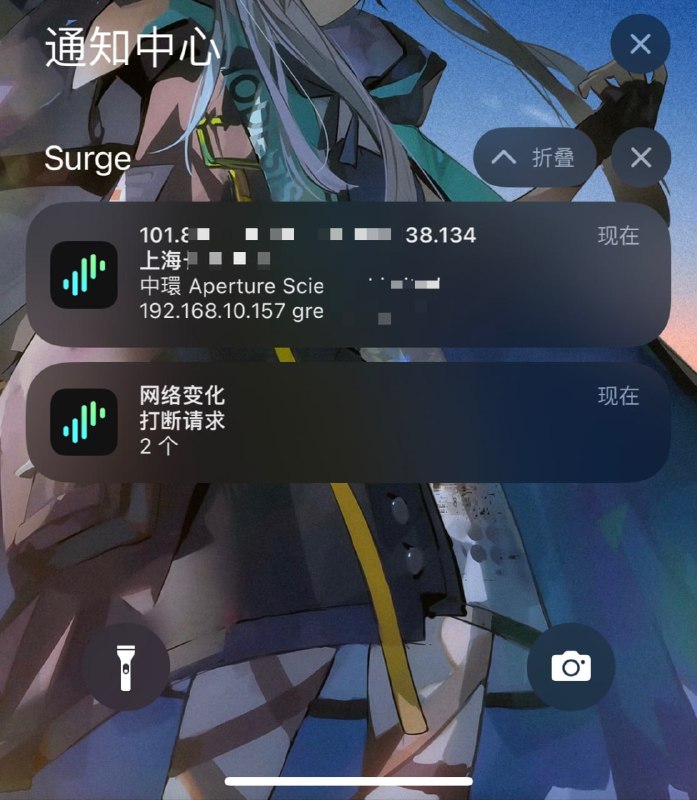

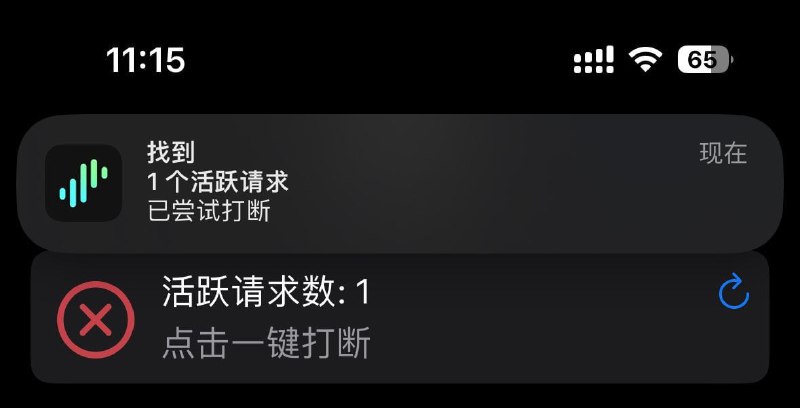
 转圈(说的就是你 Telegram)/卡住时, 一键打断请求
 WiFi 断开时 打断请求 不让活跃连接跑你的通用 免流佬狂喜
kill-active-requests.com 手动打断请求(比如在 快捷指令中使用) 自动刷新面板. 点击面板按钮或请求
 kill-active-requests.com 手动打断请求. WiFi 断开时自动执行. 模块地址rule 方便你查看并编写自己的正则匹配 效果图 LoonsetSelectPolicy getSubPolicys getSubPolicies getPolicy getSelectedPolicy 这几个 API 来回切换策略组来实现打断请求 类似这个 QX$configuration.sendMessage 似乎也可以做到 模块脚本合集
  频道资源合集
  恰饭推荐
恰饭推荐  群组
群组 #Surge #模块 #面板 #脚本 #打断连接 #打断请求 #活跃连接 #打断活跃连接 #免流 #Telegram #转圈 #微信
 Sub-Store 后端
 2.14.251 前端 2.14.161支持通过代理/节点获取订阅 Surge(需使用 有 ability=http-client-policy 的模块, 参数 policy/policy-descriptor)Test = snell, 1.2.3.4, 8000, psk=password, version=4国外加速Loon(参数 node)Test=Hysteria2,1.2.3.4,8000,"abc",tls-name=www.bing.com国外加速 Stash(参数 X-Stash-Selected-Proxy)国外加速request 的 proxy 参数):http://127.0.0.1:8888 使用场景 Sub-Store 搭建在服务器上, 无法使用服务器 IP 拉取订阅. 可以通过 ZeroTier 组网的另一台设备上的代理(比如家宽) 来拉取节点 Surge 中使用某个节点去拉取订阅 相关内容 添加一个流量信息的节点 Sub-Store 代理 App 版安装下载 Sub-Store 服务器/云平台/Docker/Android 版的相关教程coreaudiod CPU 占用过高mkdir ~/Library/Preferences/Audio
sudo chown _coreaudiod:admin ~/Library/Preferences/AudioMic Drop.app mute 的时候 coreaudiod CPU 占用就高… 立即查看开始自救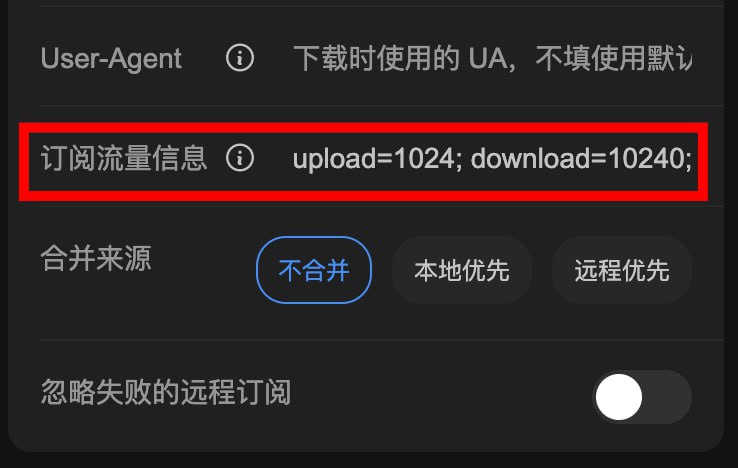
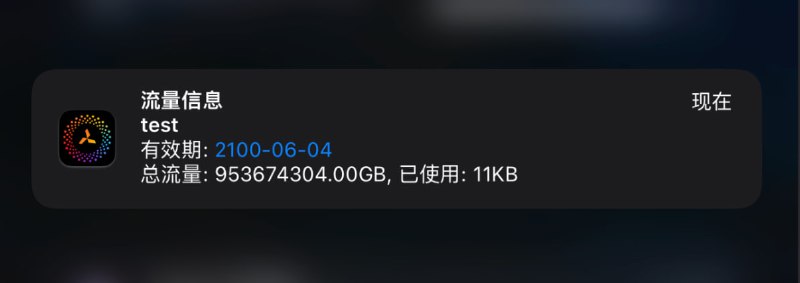 Sub-Store 后端
 2.14.249 前端 2.14.159支持自定义订阅流量信息upload=1024; download=10240; total=1024000000000000000; expire=4115721600 请勿用于装屄修复订阅流量信息传递 相关内容 添加一个流量信息的节点 Sub-Store 代理 App 版安装下载 Sub-Store 服务器/云平台/Docker/Android 版的相关教程