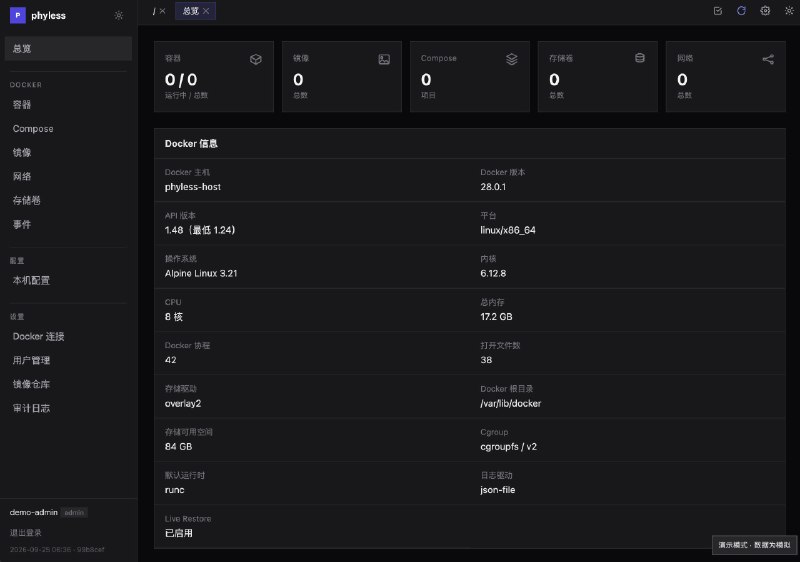
感谢群友 @lisaac 投稿
- 单文件,支持容器部署
- 支持不重启 daemon 代理拉取镜像
- 支持通过浏览器代理拉取镜像
- docker run 和 compose 相互转换
- 可视化 compose 管理
- 其他正常容器管理功能
https://github.com/lisaac/phyless
- 👍3
- 单文件,支持容器部署
- 支持不重启 daemon 代理拉取镜像
- 支持通过浏览器代理拉取镜像
- docker run 和 compose 相互转换
- 可视化 compose 管理
- 其他正常容器管理功能
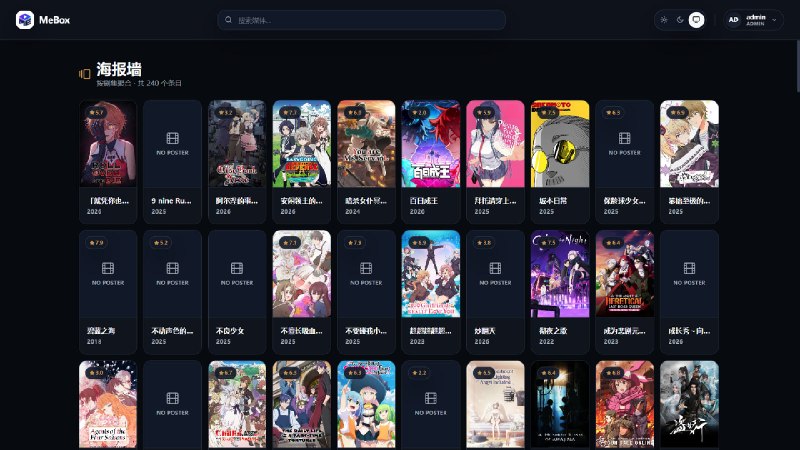
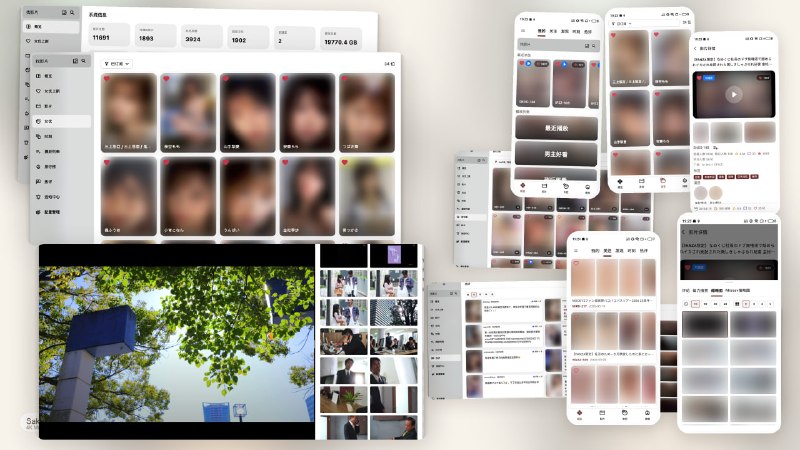
面向 NAS 用户的 NSFW 观影平台 - 一个足以杀死Jav比赛的项目
可以不开会员,24 小时挂着慢慢下载 🤡
/opt/nezha/agent/config.ymlgpu: false // 是否检查GPU
temperature: false // 是否检查温度
skip_connection_count: true // 跳过连接数检查
skip_procs_count: true // 跳过进程数量检查
report_delay: 3 // 报告间隔
dns: // DNS
- 8.8.4.4:53
- 9.9.9.12:53
- 208.67.220.220:53
- 94.140.14.141:53jq#!/usr/bin/env bash
api_key=""
chat_id=""
if ! pgrep -x nezha-agent > /dev/null || journalctl -o cat -u nezha-agent | grep -i "error" > /dev/null; then
# 重启服务
systemctl restart nezha-agent
# 清空日志
journalctl --rotate
journalctl --vacuum-time=1s
echo "nezha-agent service restarted and logs cleared."
curl -F disable_notification=true -F chat_id=$chat_id -F text="[$(hostname)] 哪吒探针已重启" https://api.telegram.org/bot$api_key/sendMessage > /dev/null
fi
*/1 * * * *#!/usr/bin/env bash
log_message() {
local message="$1"
echo -e "[$(date '+%Y-%m-%d %H:%M:%S')] $message"
}
send_notification() {
local title="$1"
local body="$2"
local icon="$3"
log_message "发送通知 $title\n$body"
/usr/local/emhttp/webGui/scripts/notify \
-e "哪吒保活 $title" \
-s "" \
-d "" \
-i "$icon" \
-m "$body" \
-l "http://unraid.local:60080/Settings/Userscripts"
}
cd /dev/shm/nezha
if cat nezha-agent.log | grep error || ! pgrep -x nezha-agent > /dev/null; then
echo "" > nezha-agent.log
killall nezha-agent > /dev/null
./nezha-agent > ./nezha-agent.log 2>&1 &
send_notification "⚠️ 检测到错误日志或进程不存在" "自动重启" "alert"
fi
curl https://raw.githubusercontent.com/thomaslovell/LSIUtil/master/Binaries/LSIutil_1.71_binaries/Linux/lsiutil.x86_64 -o lsiutil.x86_64
chmod +x ./lsiutil.x86_64
./lsiutil.x86_64 -p1 -a 25,2,0,0 | awk '/IOCTemperature: /{print strtonum($2)""}'/usr/local/emhttp/webGui/scripts/notify
./nezha.sh install_agent xxxx.com 443 yyyyyyyyyyy --tls./nezha-agent "-s" "xxxx.com:443" "-p" "yyyyyyyyyyy" "--tls"/home/xxx/nezha 文件夹. 如果你需要自定义配置, 进入 /home/xxx/nezha, 执行 ./nezha-agent edit, 配置文件会生成在当前目录下/home/xxx/nezha 里创建 nezha.shcd /home/xxx/nezha;
rm -rf new.zip
arch=$(arch | sed s/aarch64/arm64/ | sed s/x86_64/amd64/)
curl -L "https://github.com/nezhahq/agent/releases/latest/download/nezha-agent_linux_$arch.zip" -o new.zip
unzip -o new.zip
rm -rf new.zip
chmod a+x nezha-agent
killall nezha-agent
./nezha-agent "-s" "xxxx.com:443" "-p" "yyyyyyyyyyy" "--tls" "--disable-force-update" "--disable-auto-update" > /dev/null 2>&1 &cd /home/xxx/nezha;chmod a+x nezha.sh; bash nezha.sh
nezha-agent_linux_amd64.zipcurl -L https://raw.githubusercontent.com/naiba/nezha/master/script/install.sh -o nezha.sh && chmod +x nezha.sh && ./nezha.sh install_agent xxxx.com 443 yyyyyyyyyyy --tls./nezha-agent "-s" "xxxx.com:443" "-p" "yyyyyyyyyyy" "--tls"/home/xxx/nezha 文件夹, 里面放入 nezha-agent 二进制文件/home/xxx/nezha, 执行 ./nezha-agent edit, 配置文件会生成在当前目录下cd /home/xxx/nezha; chmod a+x nezha-agent; ./nezha-agent "-s" "xxxx.com:443" "-p" "yyyyyyyyyyy" "--tls" > /dev/null 2>&1 &--disable-auto-update :禁用 Agent 的自动更新功能,增强安全性。--disable-force-update :禁用 Agent 的强制更新功能,增强安全性。从迅雷群晖套件中提取出来用于其他设备的迅雷远程下载服务程序。仅供研究学习测试。
本程序仅提供Linux模拟和容器化运行环境,未对原版迅雷程序进行任何修改。
sudo sysctl debug.lowpri_throttle_enabled=0sudo sysctl debug.lowpri_throttle_enabled=1